Small and medium businesses face complex payroll management tasks, consuming valuable time with manual calculations, currency conversions, and limited transparency in salary information and financial services for employees.
A comprehensive payroll management system that streamlines operations through automated salary calculations, flexible payment options, and integrated employee financial services—all wrapped in an intuitive, user-friendly interface.
- Time-Consuming Manual Payroll Processing
- Businesses spend hours manually calculating salaries, deductions, and bonuses
- High risk of human error in calculations
- Complex Multi-Currency & Payment Management
- Difficulty handling payroll across different currencies and payment methods
- Limited flexibility in payment scheduling and processing
- Poor Employee Financial Transparency
- Limited access to salary information and payment history
- No integrated financial services for advances or benefits
- Inefficient Payroll Setup & Management
- Complex setup process for new payroll cycles
- Challenges in tracking payroll status and payment details
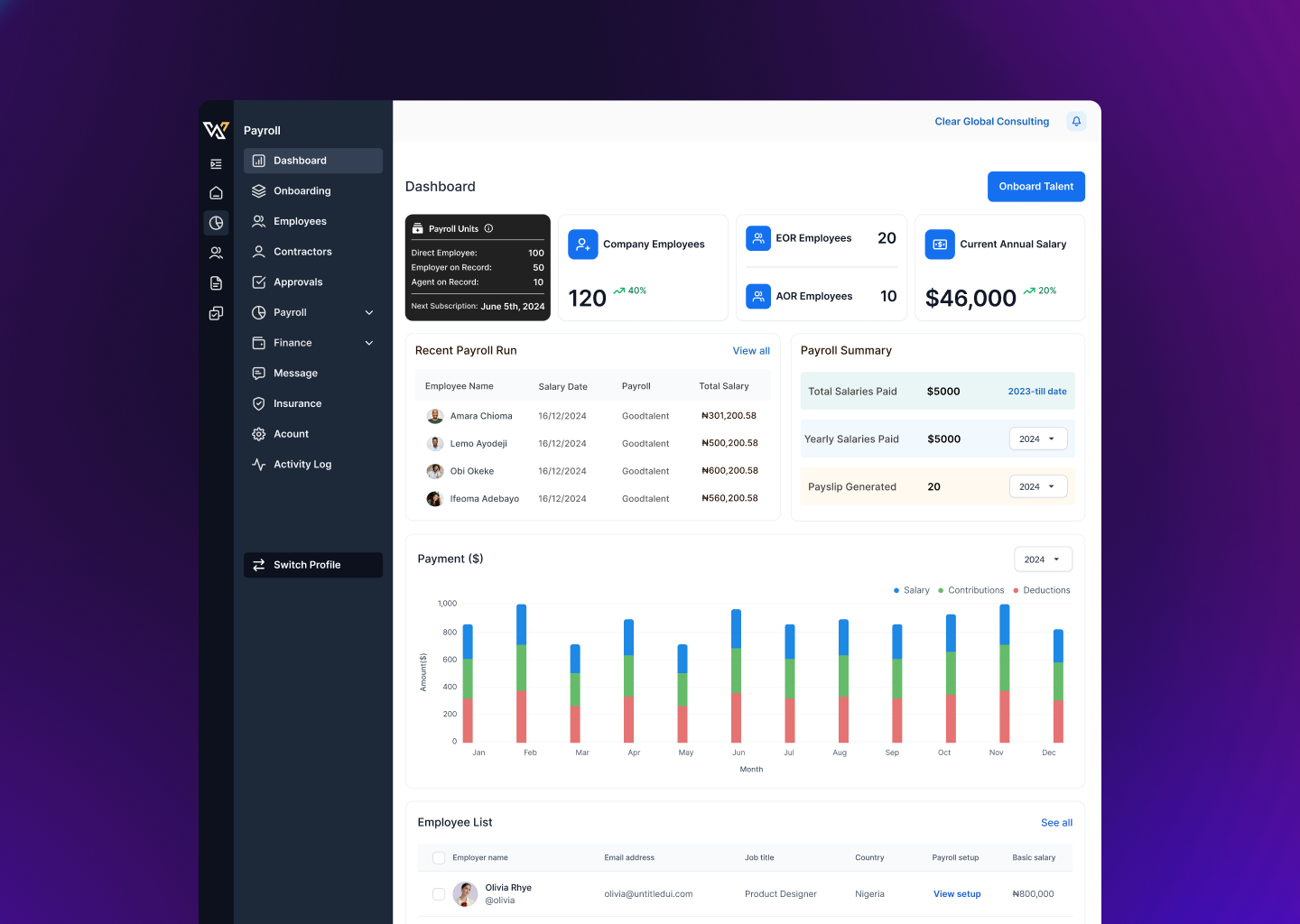
1. Intuitive Payroll Dashboard
Problem: Payroll managers needed a quick overview of key metrics and recent activities.
Solution: Created a comprehensive dashboard with clear visual hierarchy and actionable insights.
Key Features: At-a-Glance Metrics (current employee count, salary totals, key statistics), Recent Activity Tracking (latest payroll runs with details), Visual Payment Summary (bar charts showing salary trends), Quick Actions (easy access to create new payroll).
Design Decisions: Used card-based layout for scannable information blocks, color-coded payment status (processed, pending, failed), and prominent CTAs.
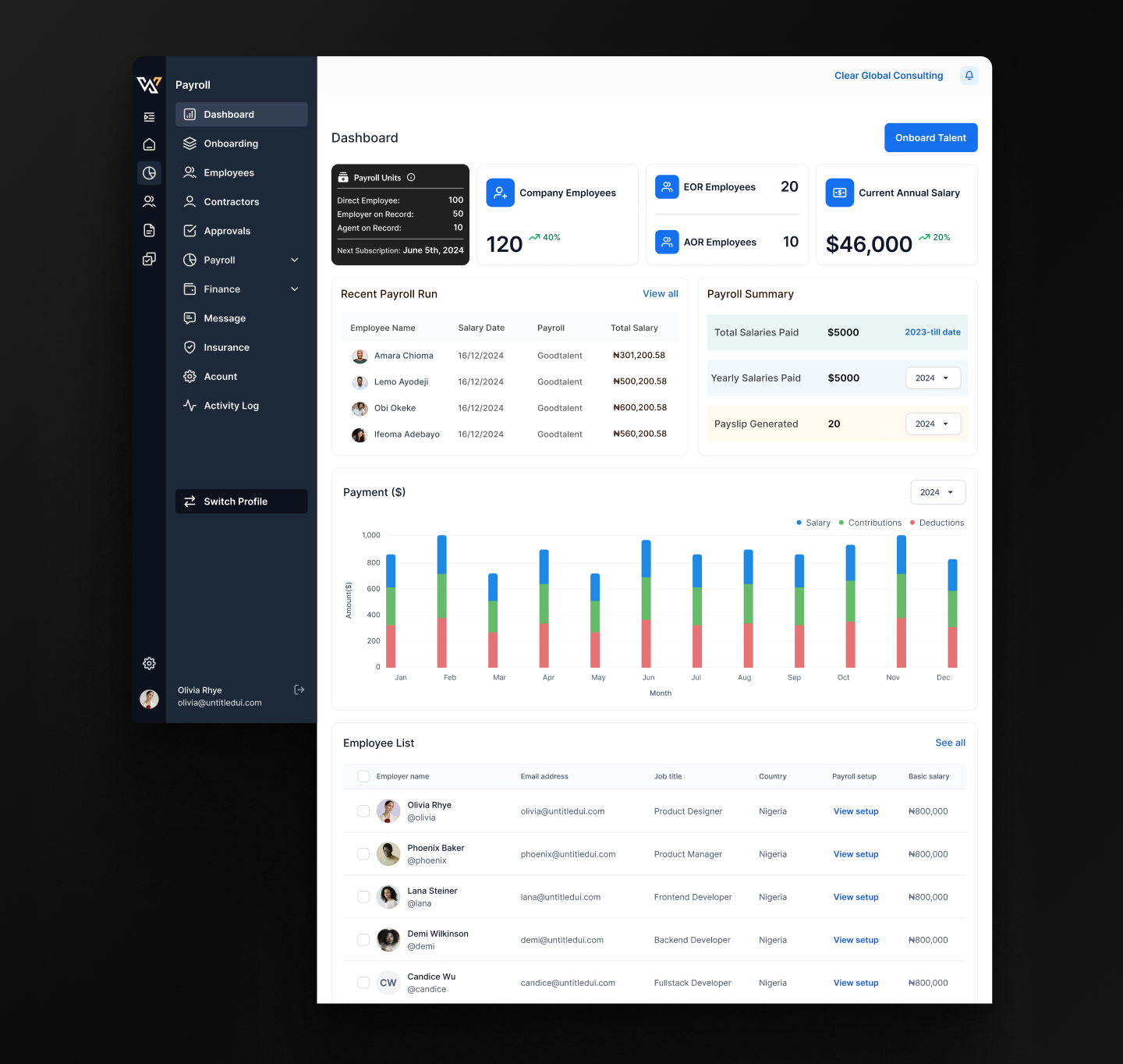
Employer Dashboard — At-a-glance metrics and recent payroll activity.
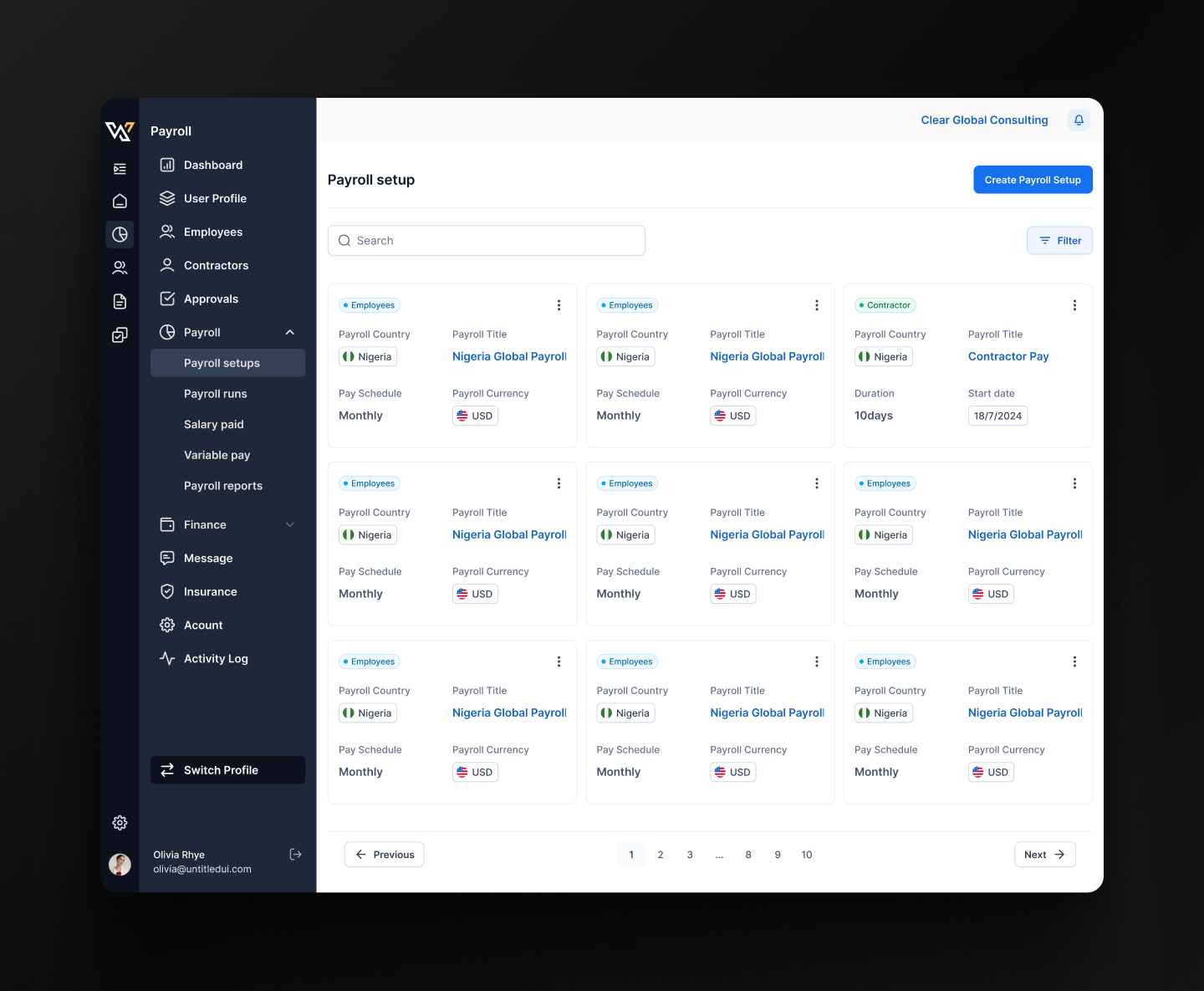
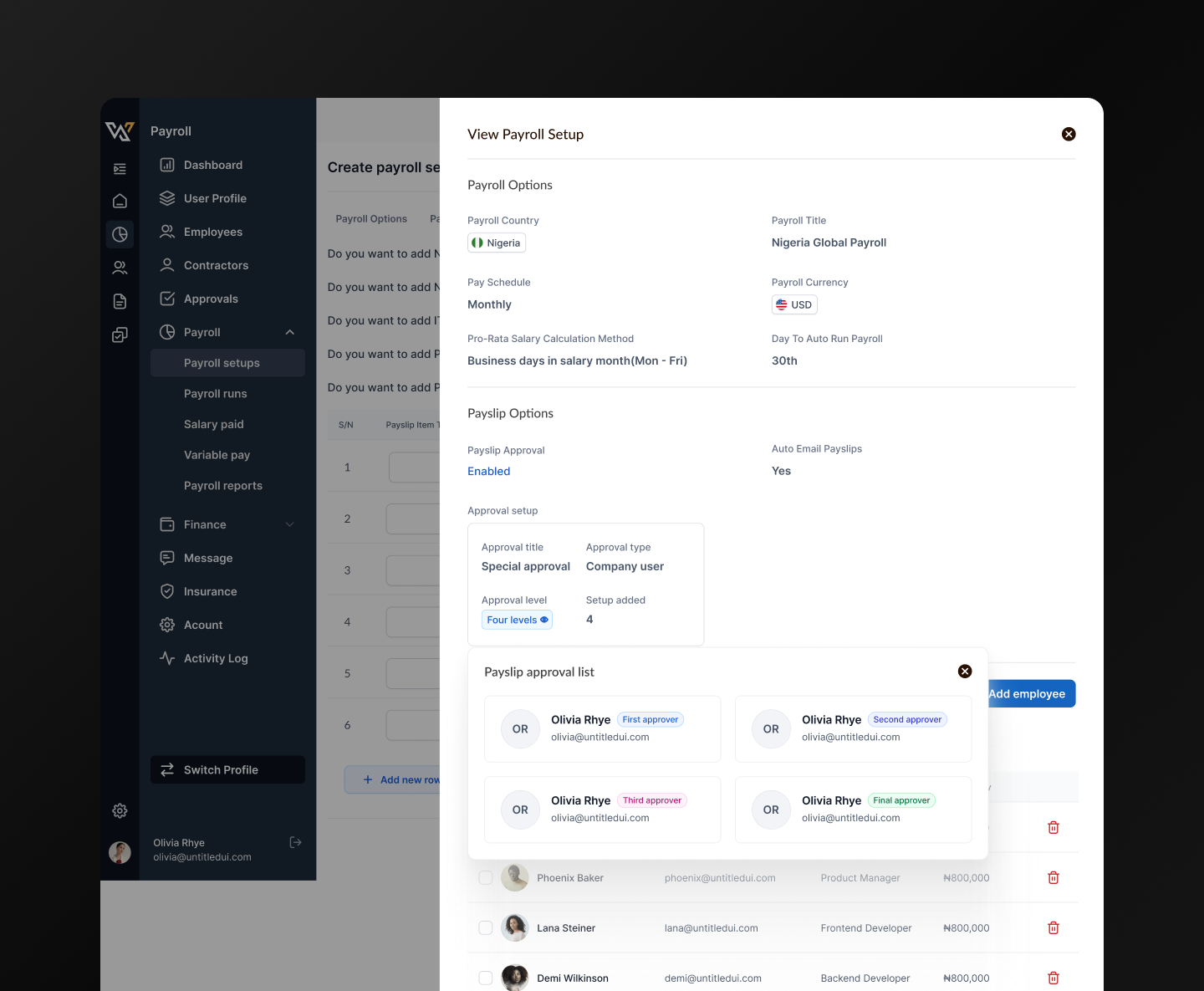
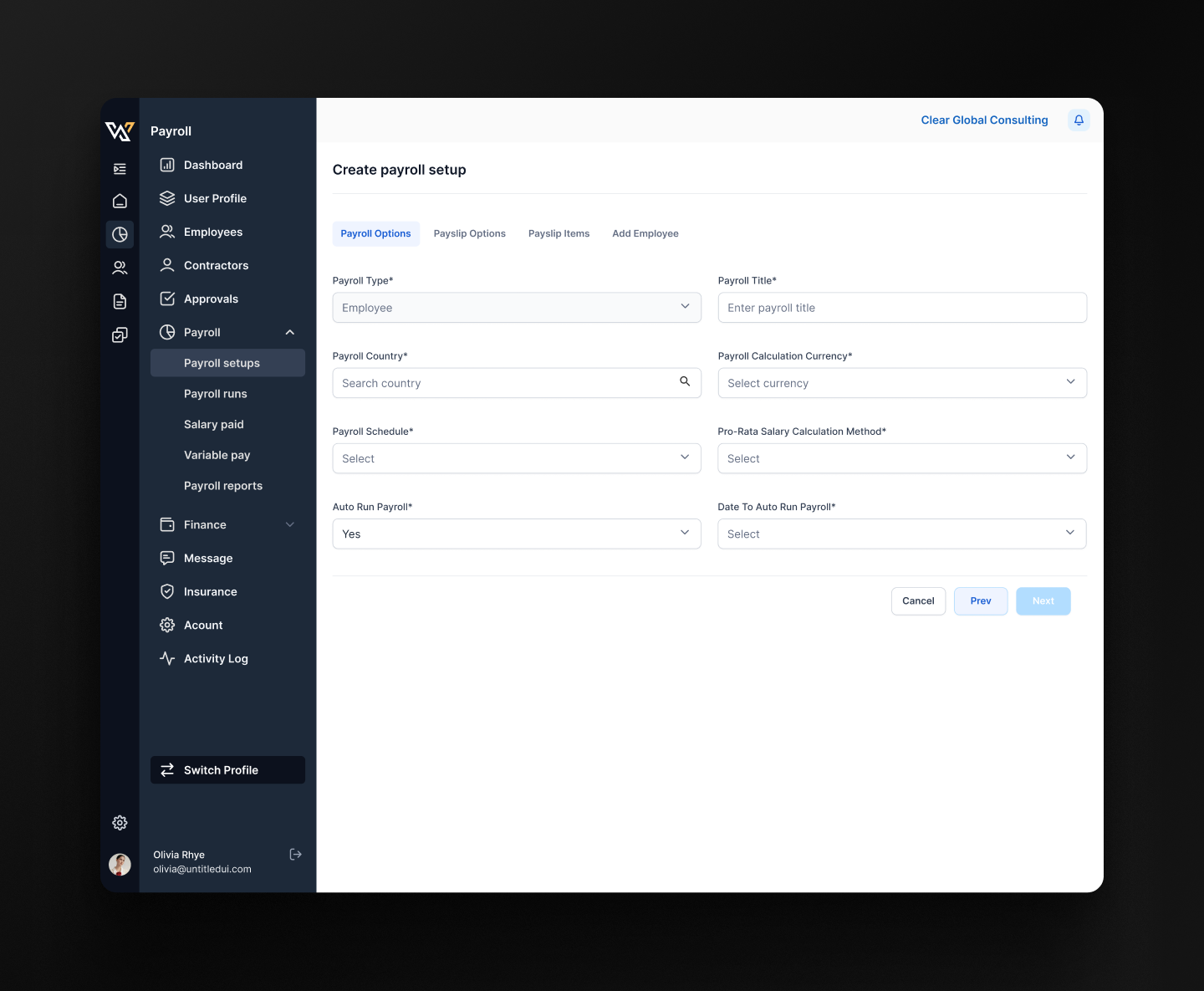
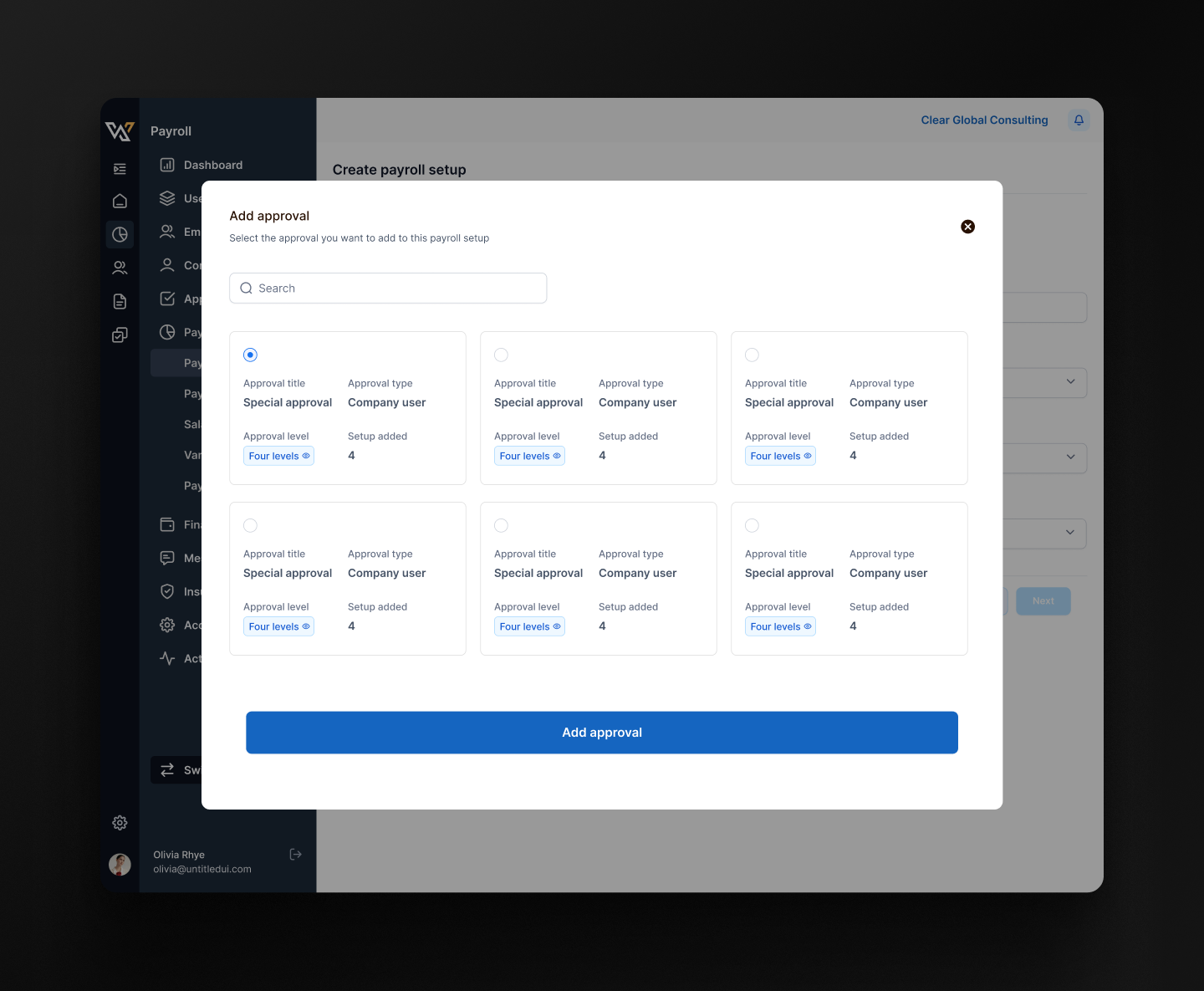
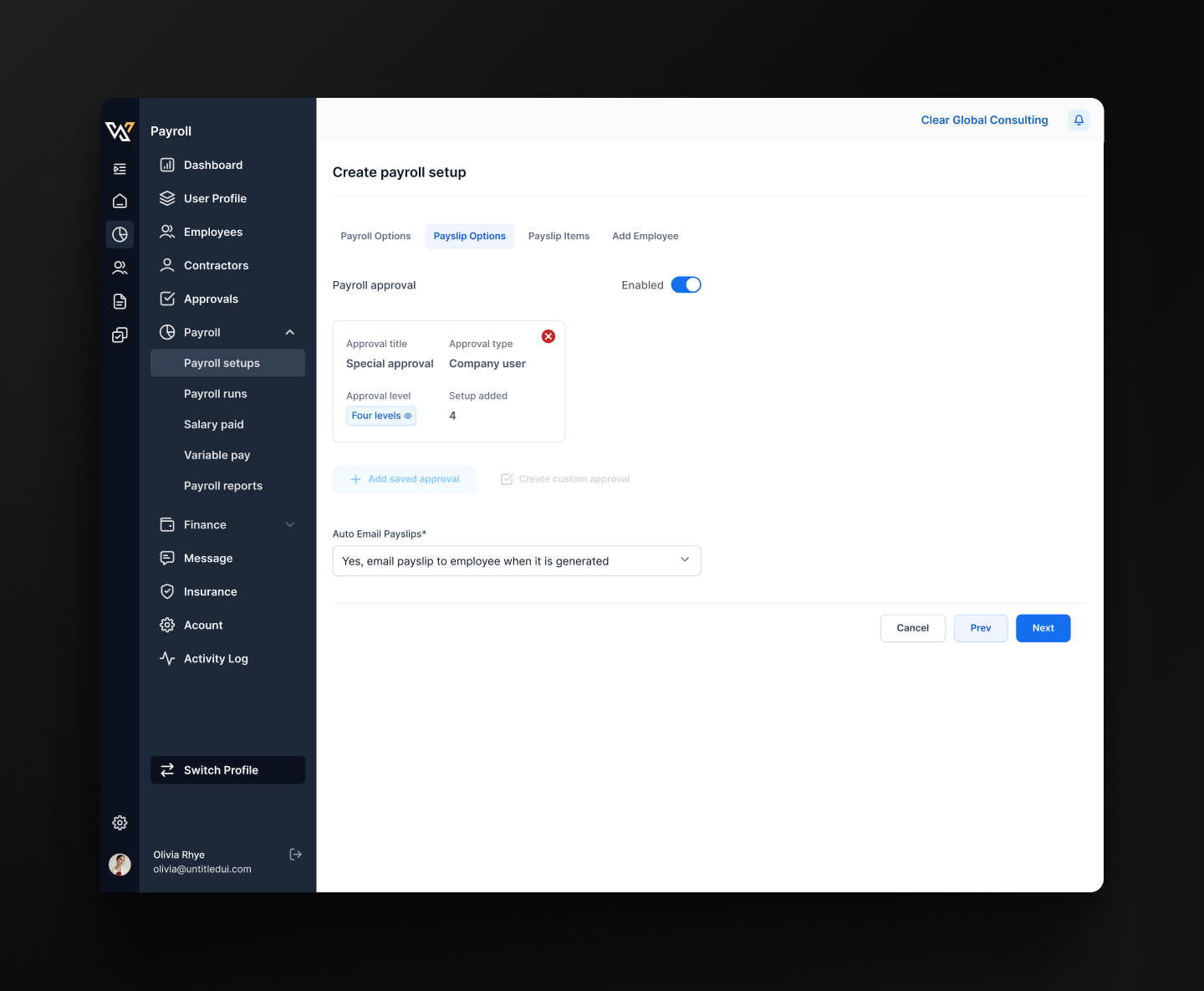
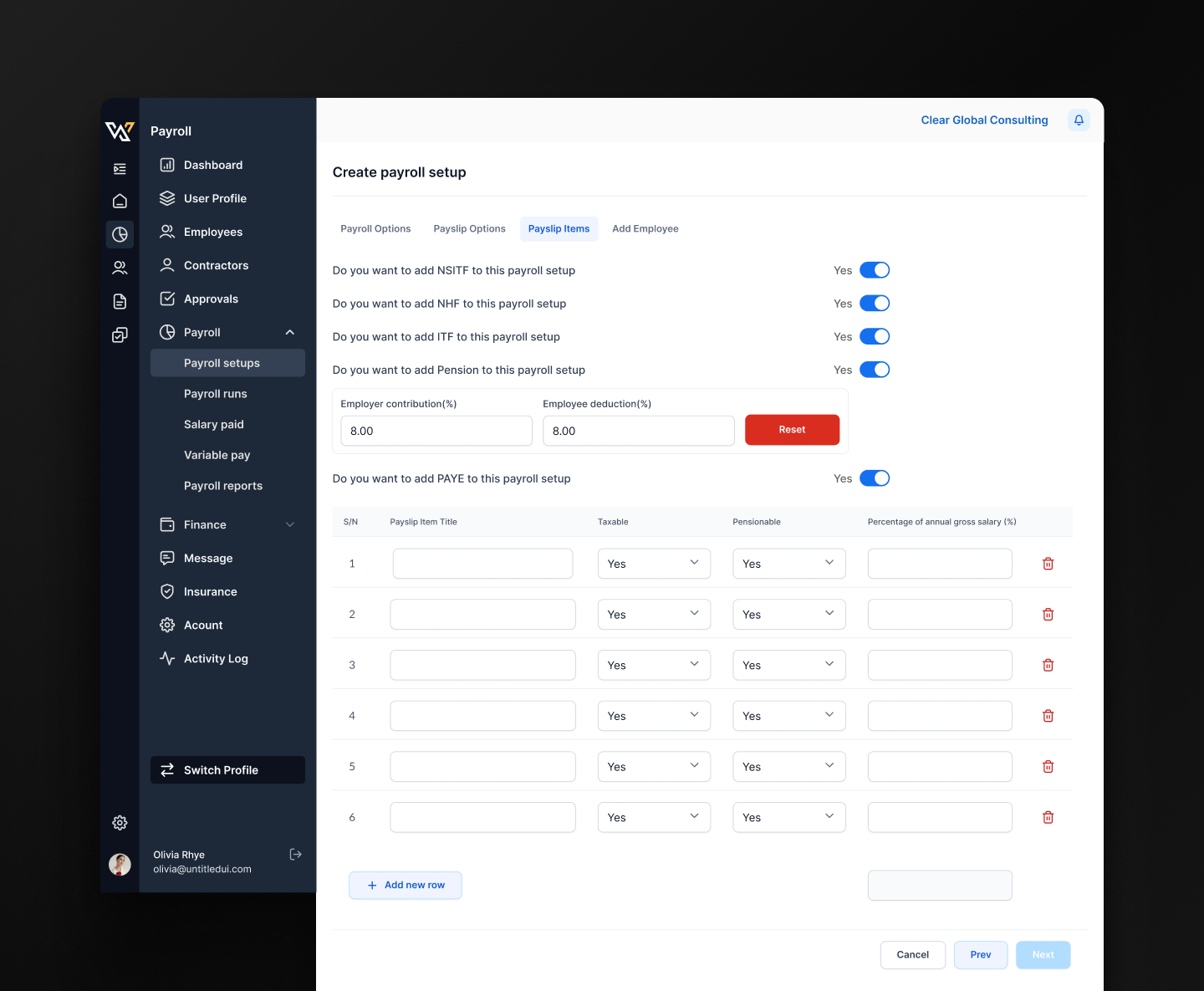
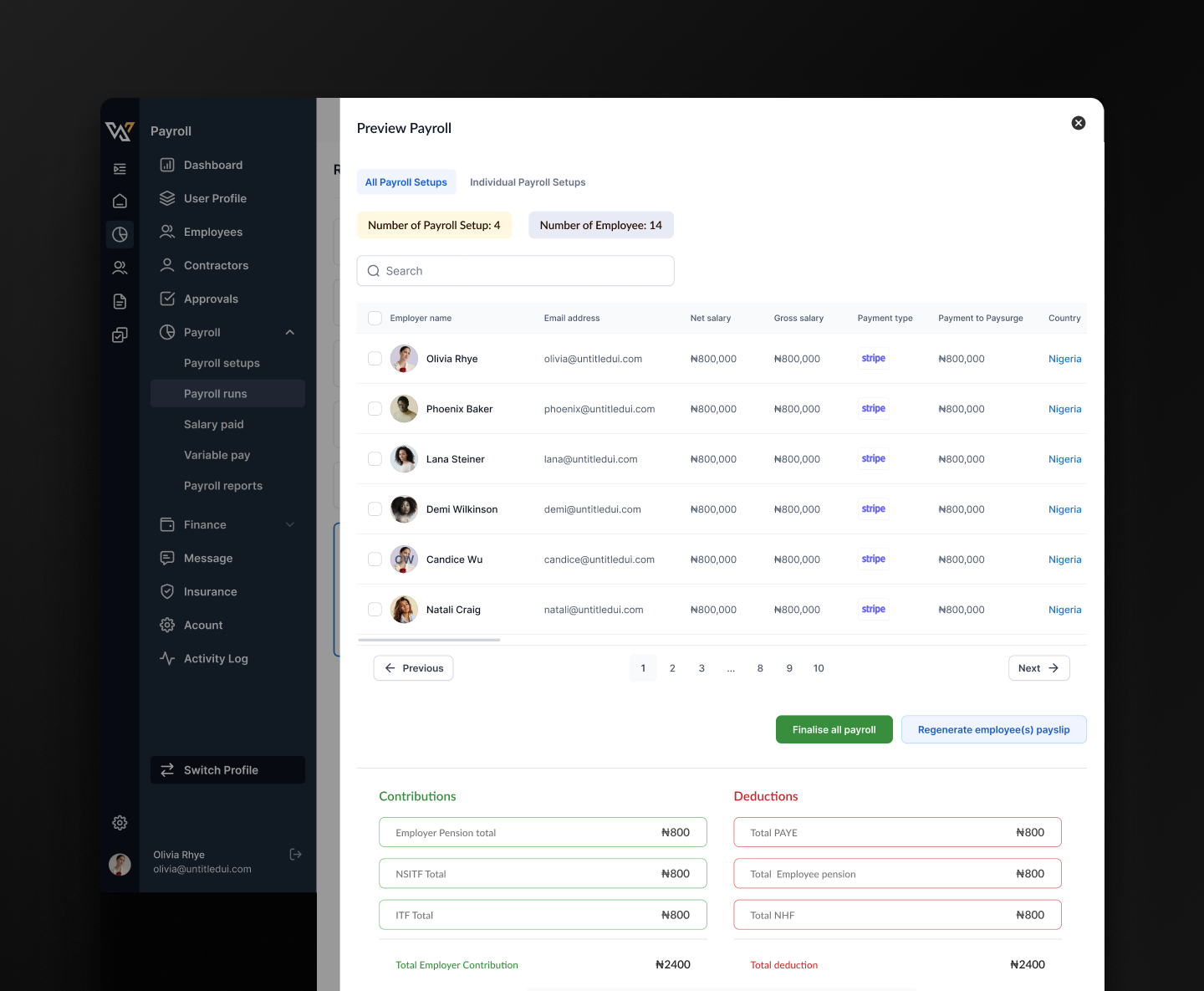
2. Streamlined Payroll Setup Process
Problem: Setting up new payroll cycles was complex and error-prone.
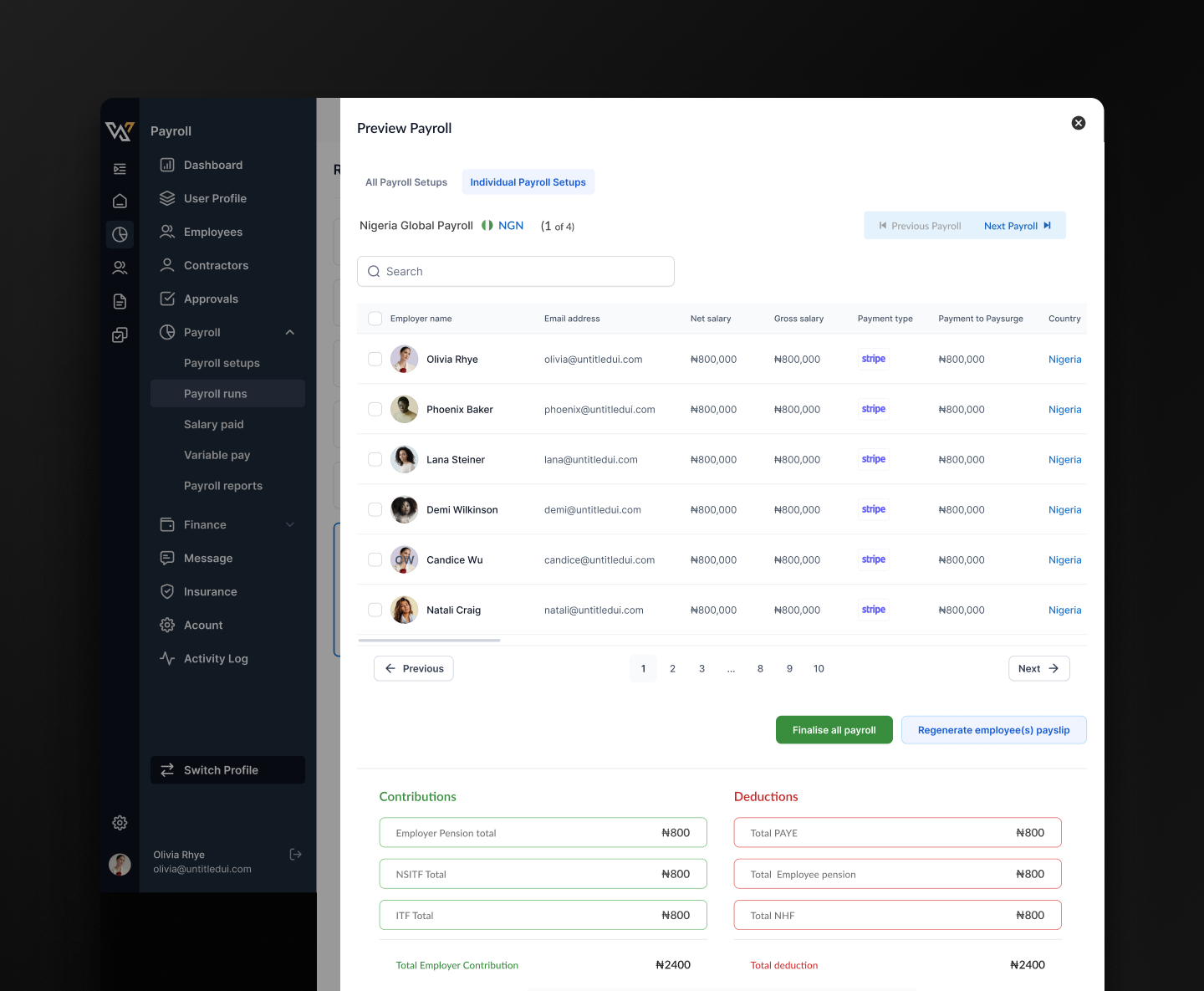
Solution: Designed a step-by-step payroll creation flow with clear validation and preview.
Key Innovations: Flexible Configuration (support for multiple currencies, custom items), Employee Selection (bulk selection with individual customization), Real-time Calculations (instant preview of totals), Validation System (built-in error checking).
User Flow Highlights: Guided setup with progress indicators, ability to save drafts, clear summary before final processing.
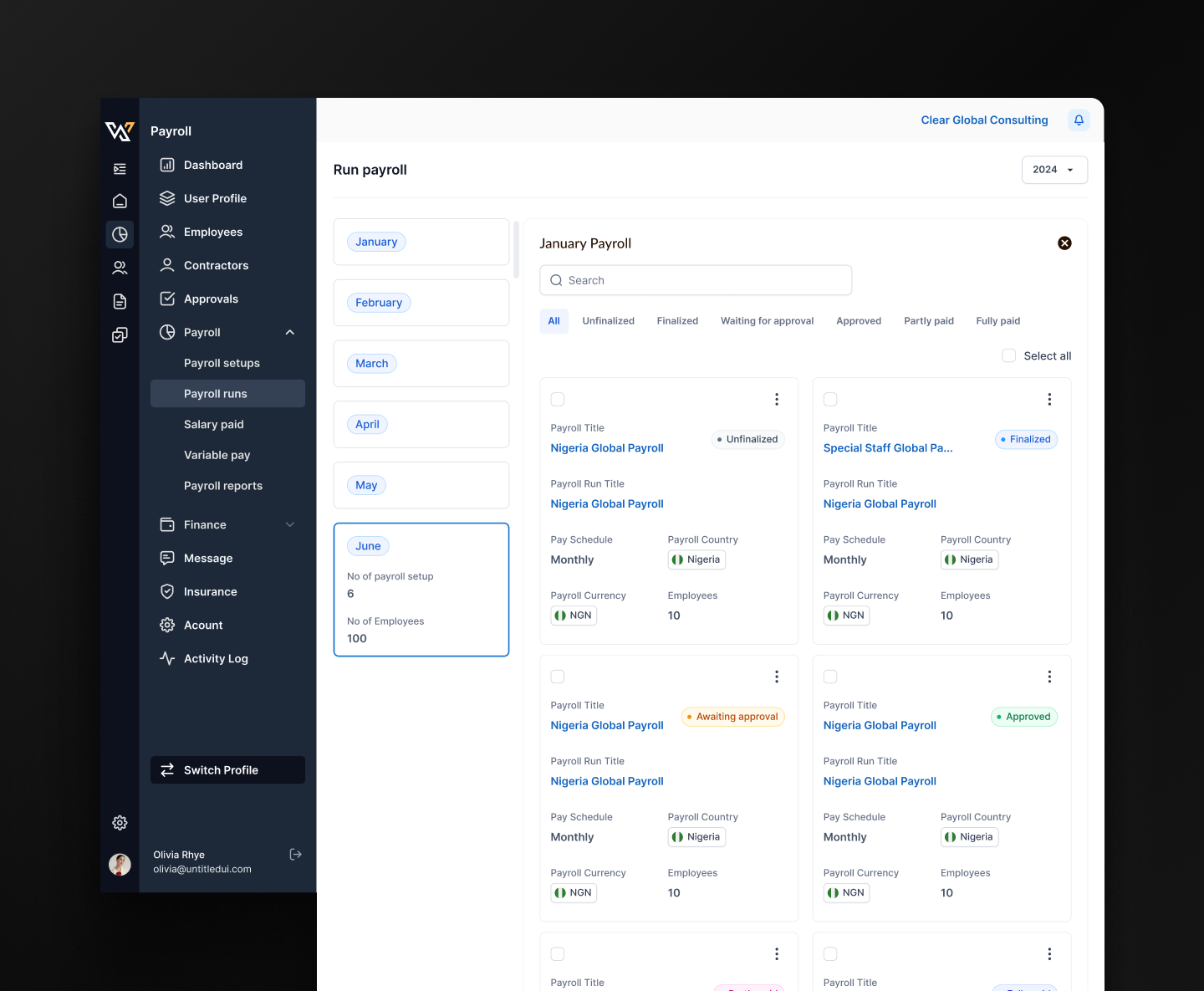
3. Comprehensive Payroll Management Interface
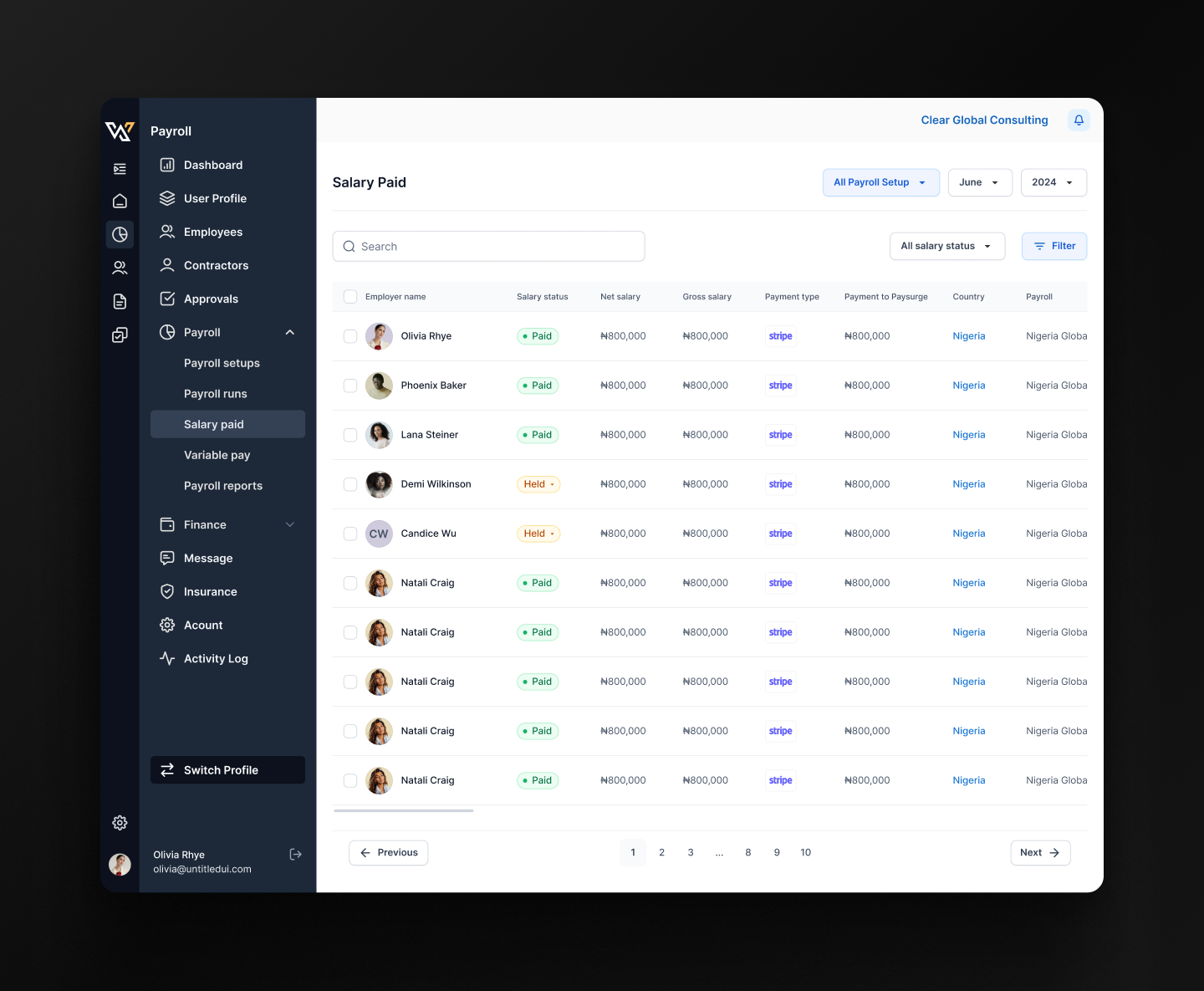
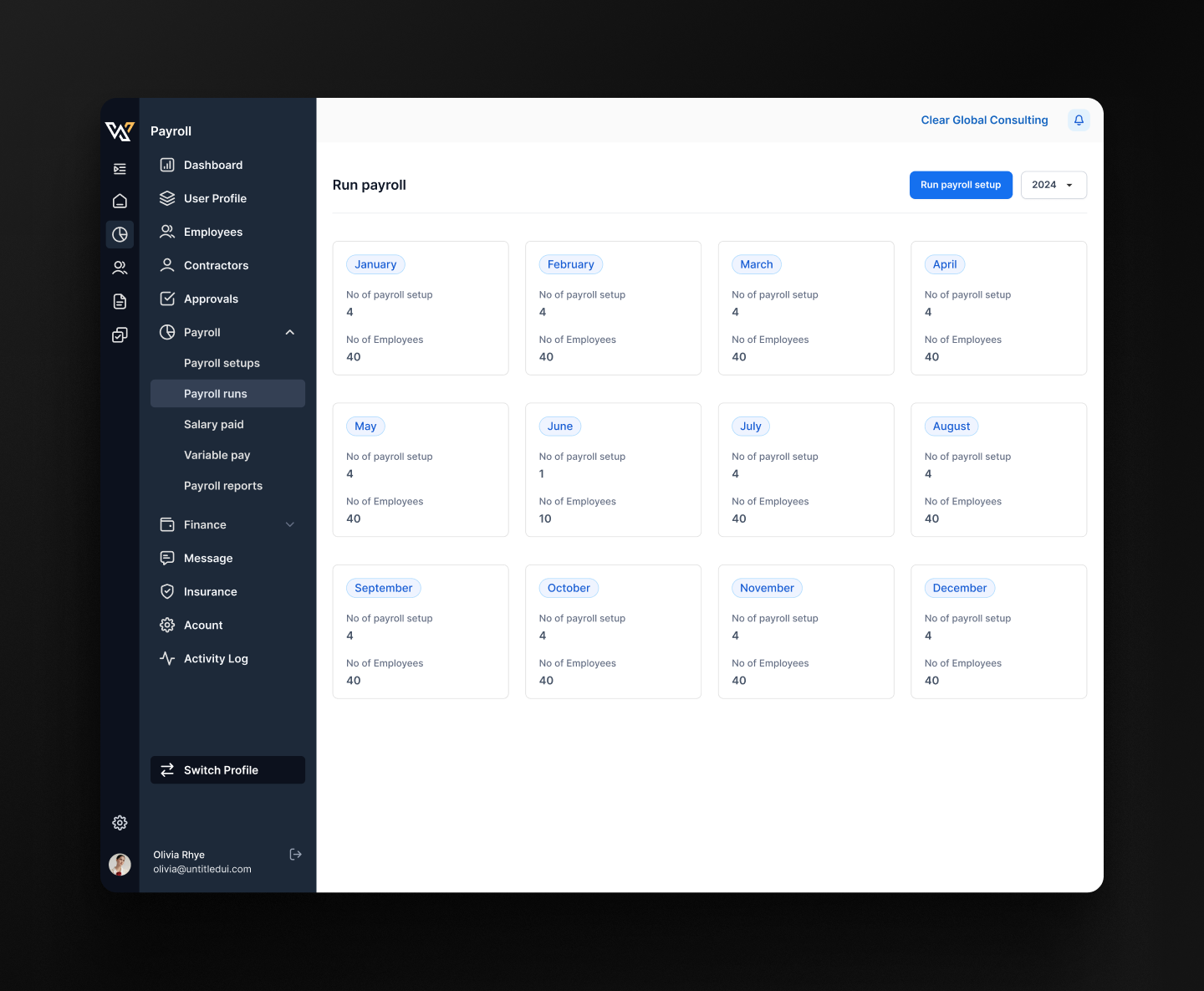
Problem: Tracking and managing ongoing payroll processes lacked visibility and control.
Solution: Built a detailed payroll management system with multiple views and batch operations.
Features: Tabular Overview (sortable, filterable employee list), Batch Operations (process multiple payments), Individual Employee Management (detailed view with salary history), Status Tracking (clear indicators).
Design Approach: Clean table design with appropriate information density, consistent iconography, smart defaults with customization options.
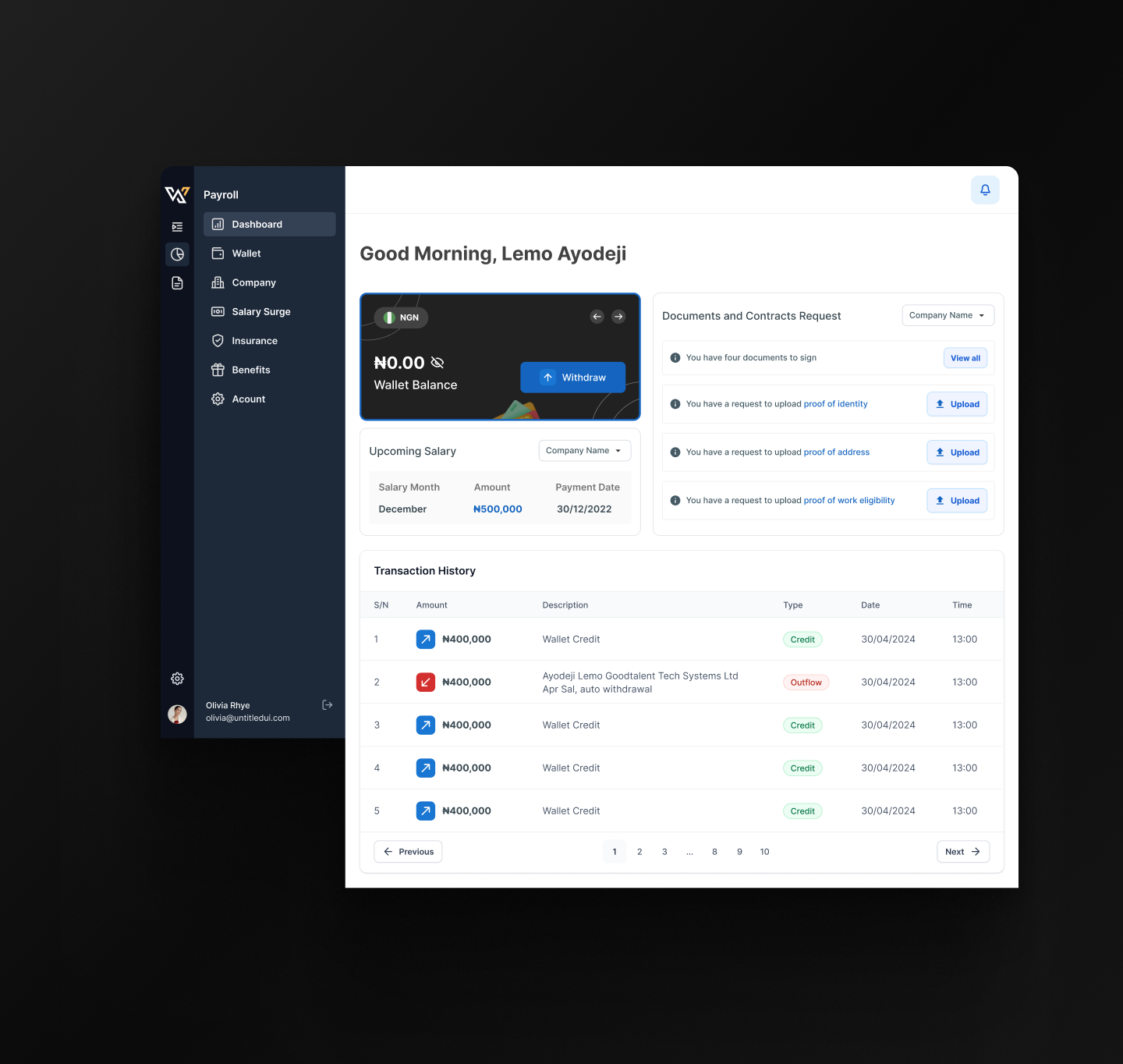
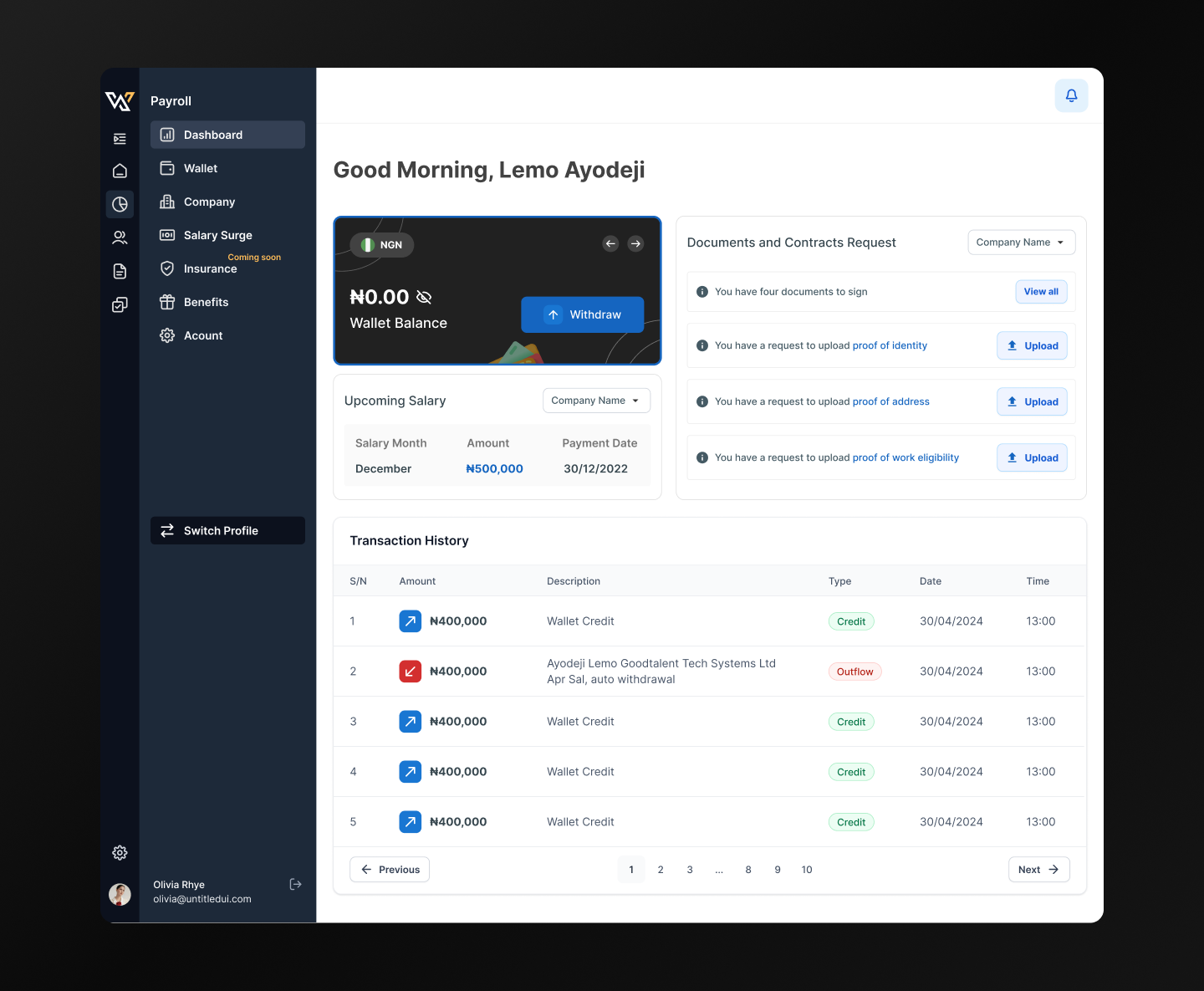
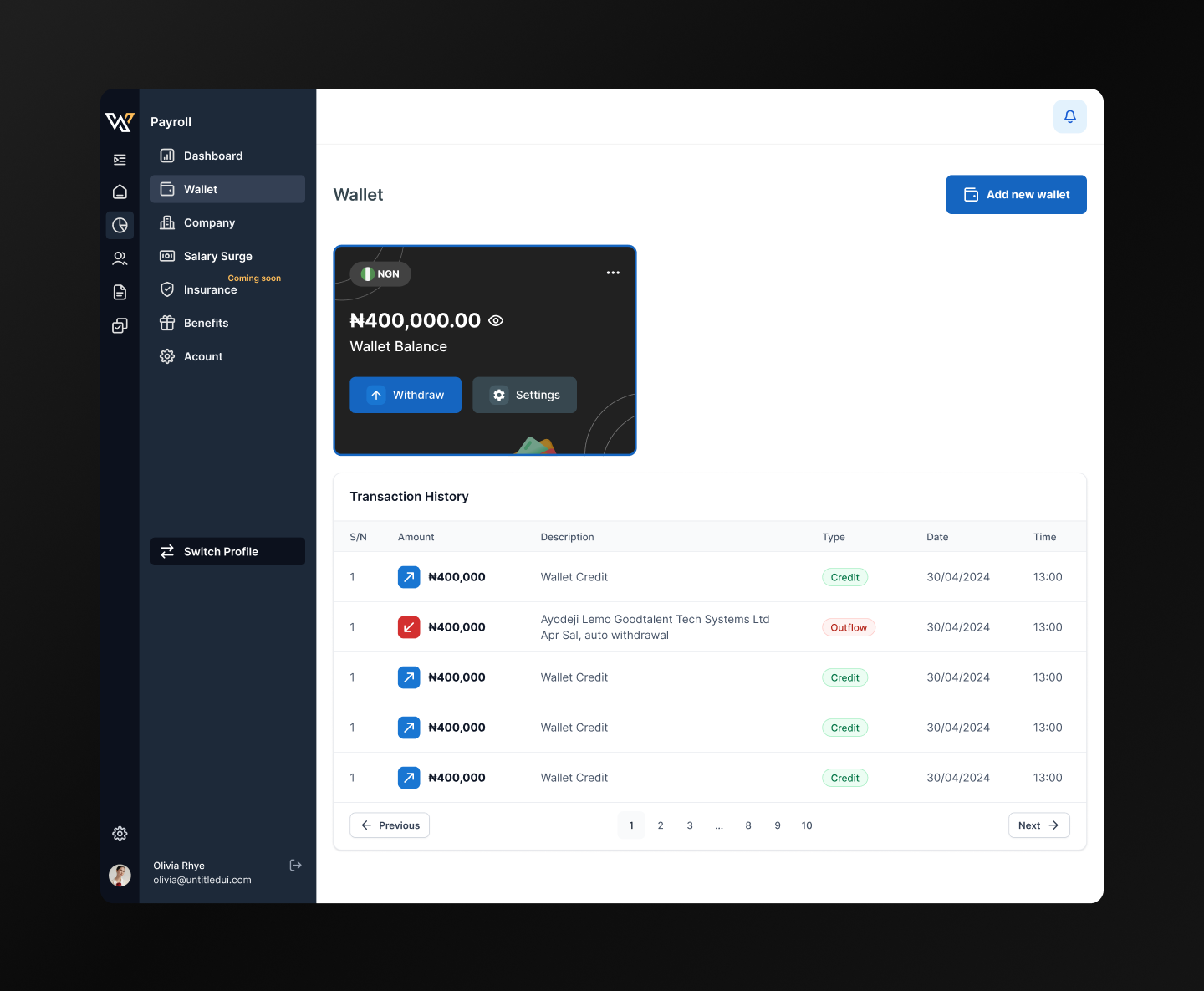
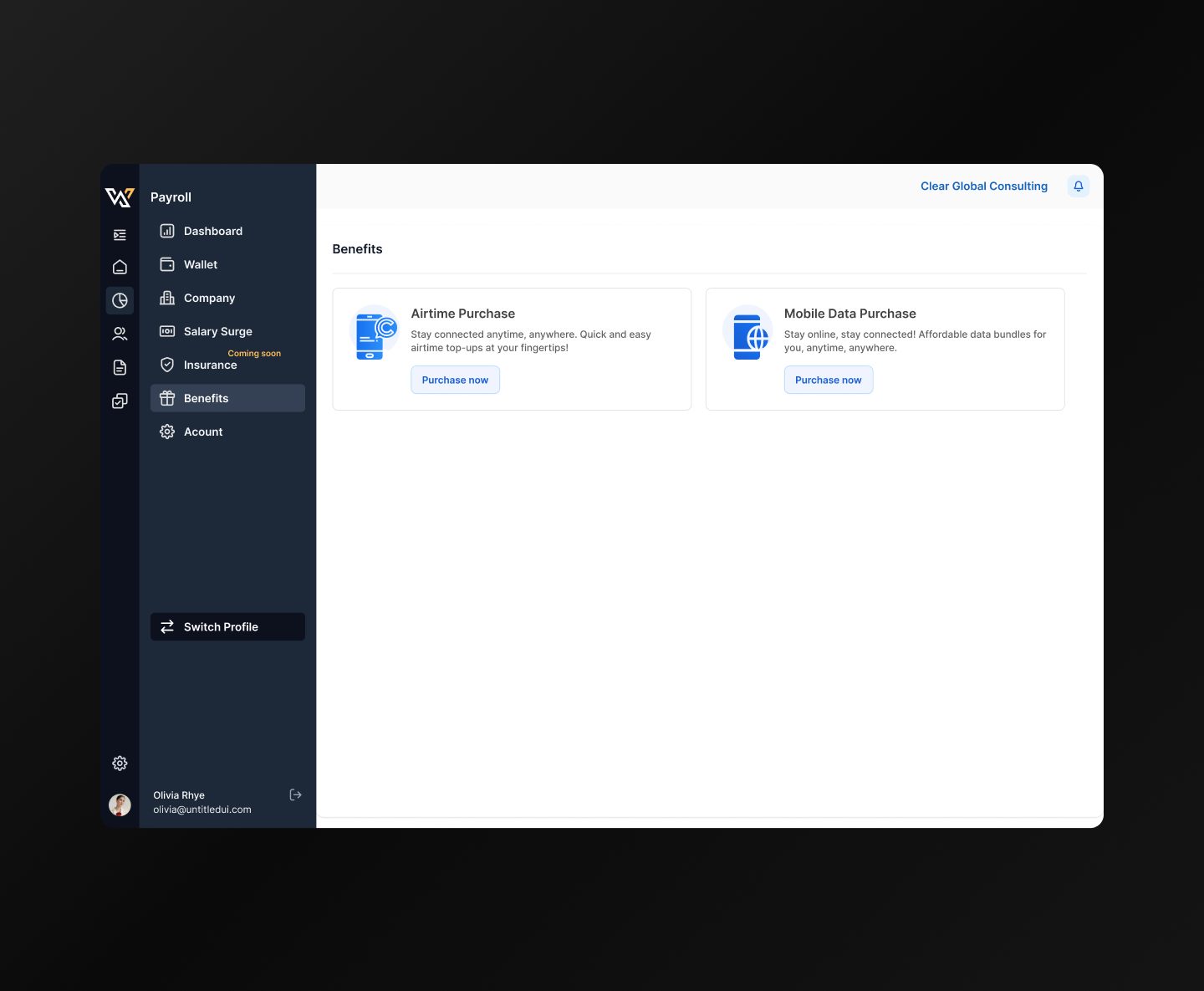
4. Employee Financial Services Integration
Problem: Employees needed access to salary information and financial services.
Solution: Created an employee-facing dashboard with transparent salary information and integrated services.
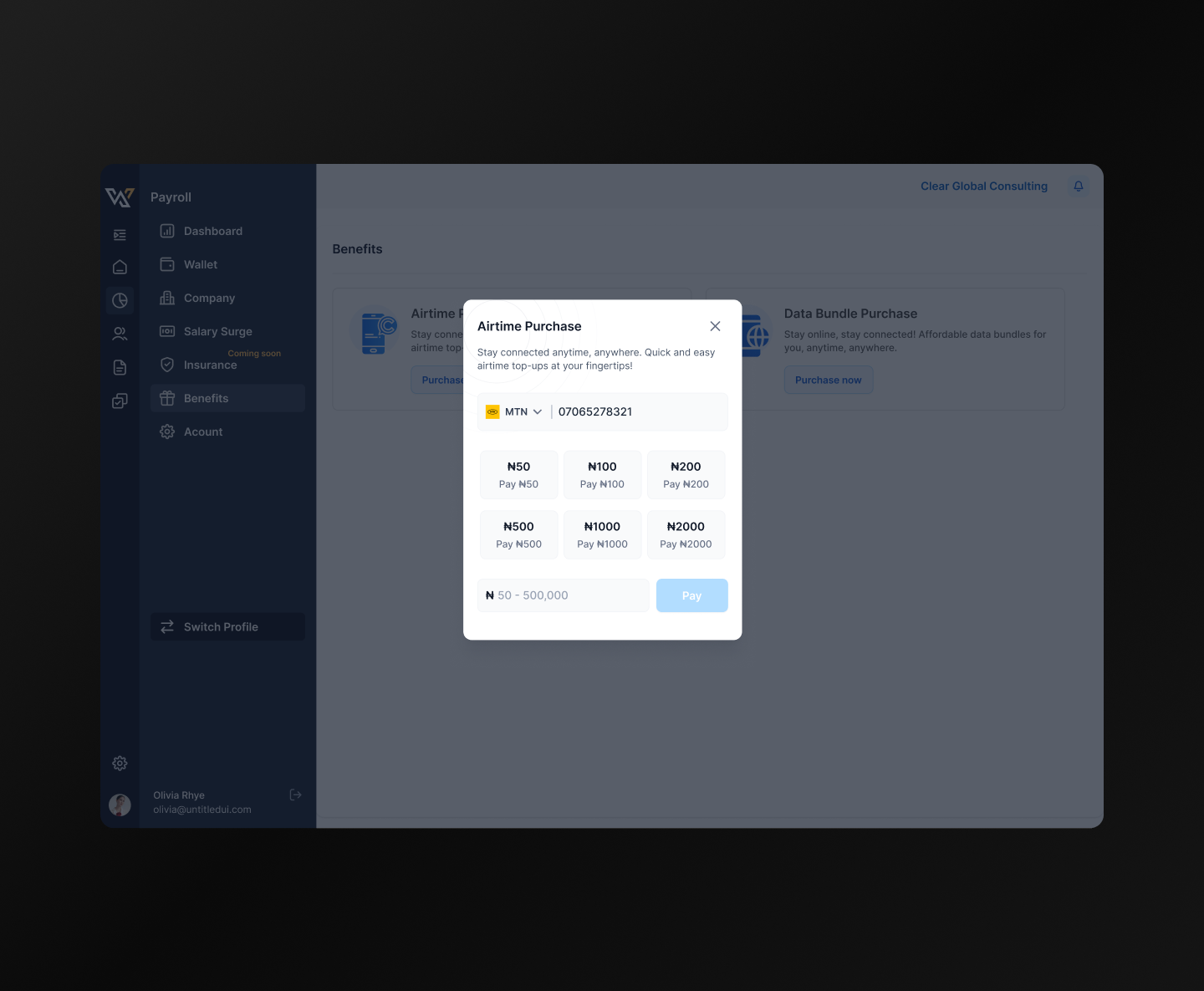
Key Features: Salary Transparency (clear breakdown of payments), Integrated Wallet (access to advances and withdrawals), Transaction History, Service Integration (insurance, data purchases, benefits).
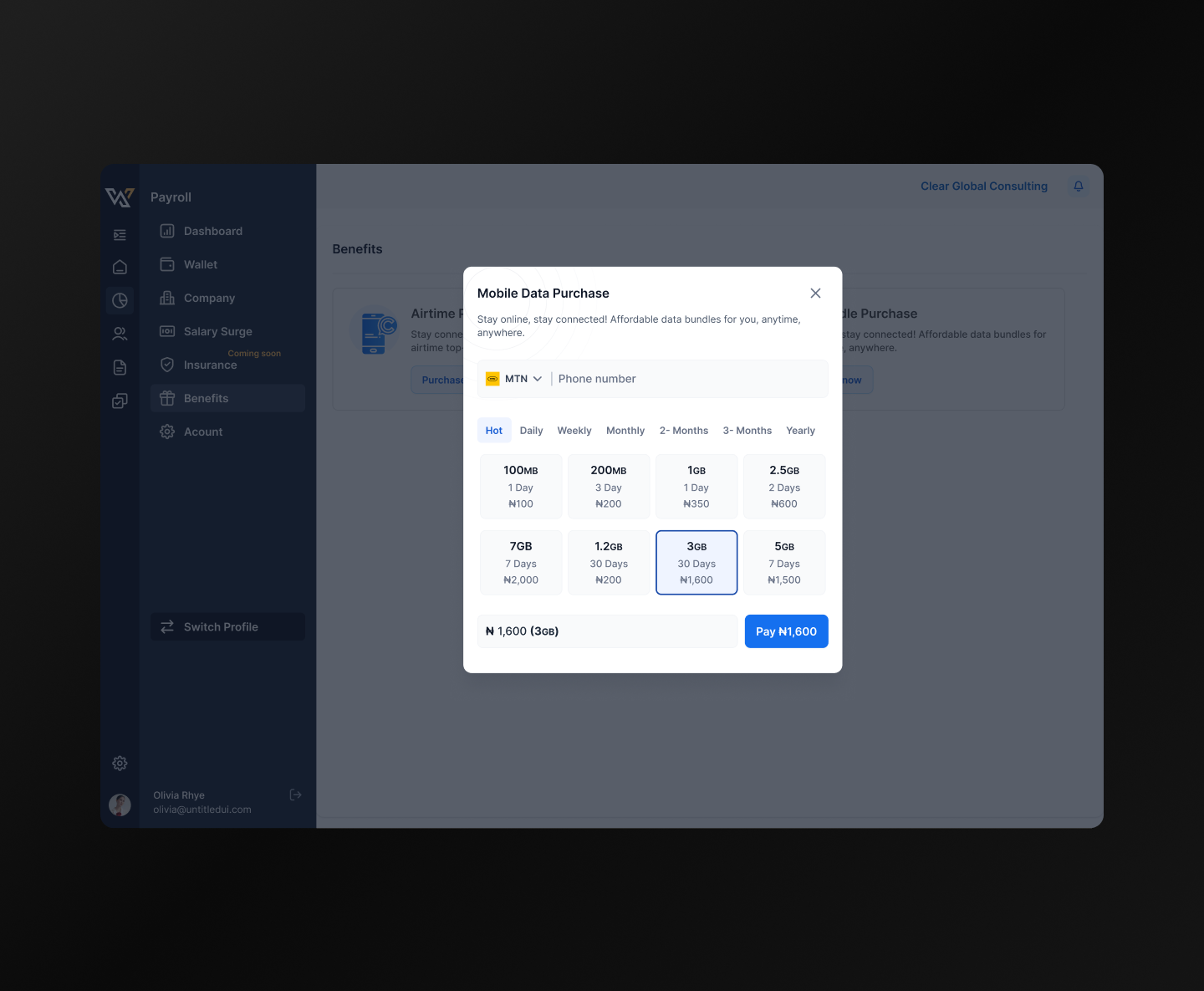
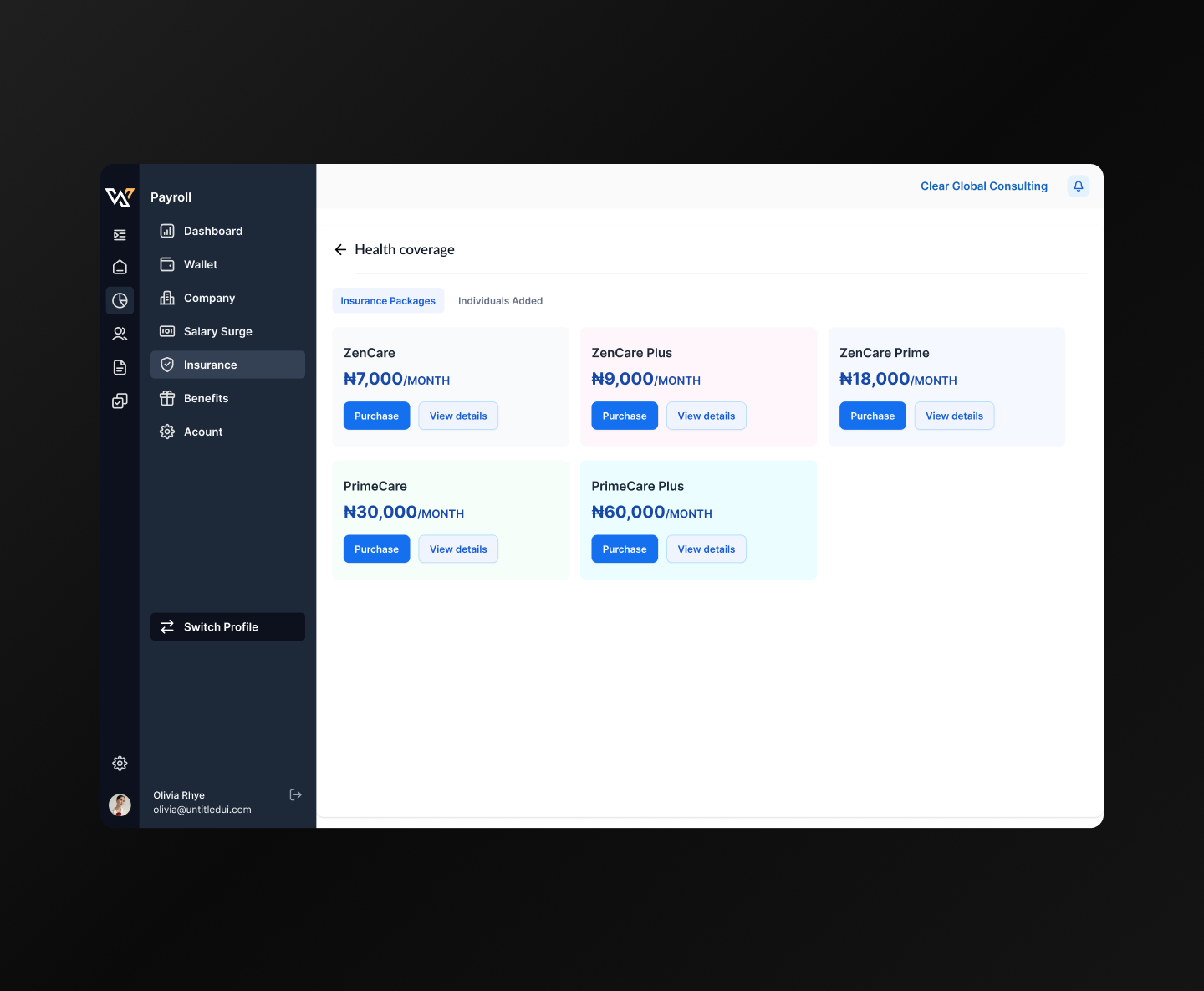
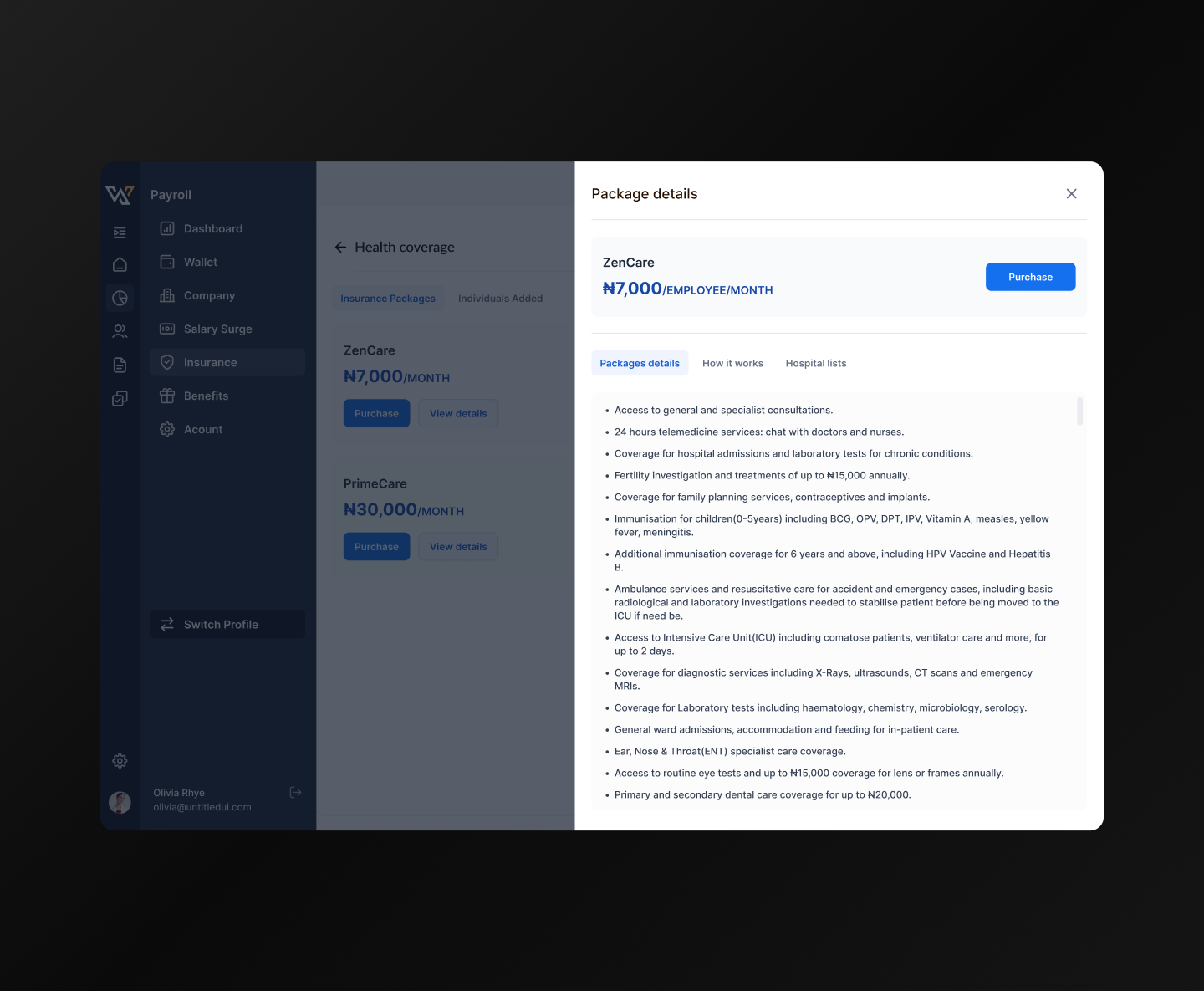
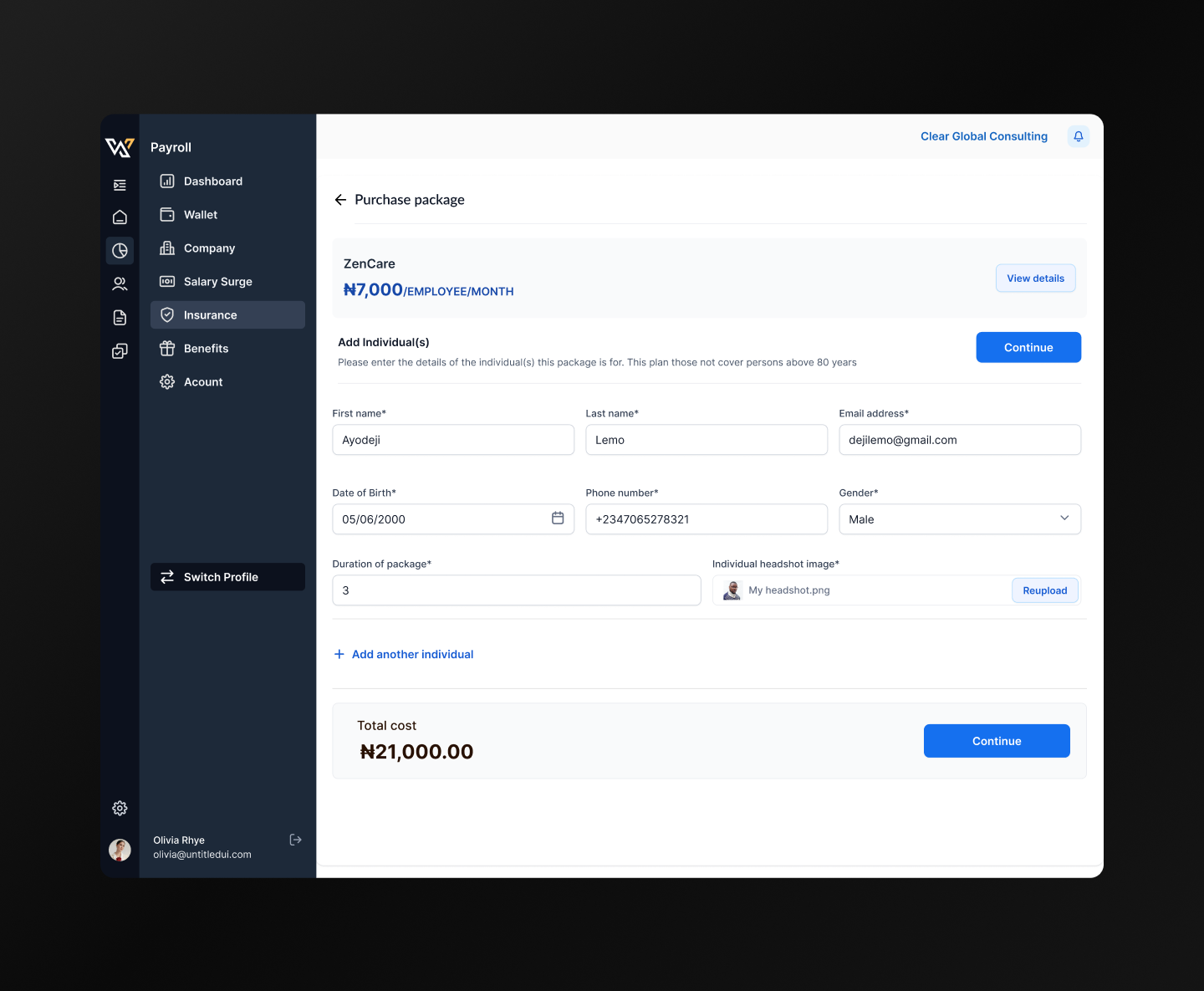
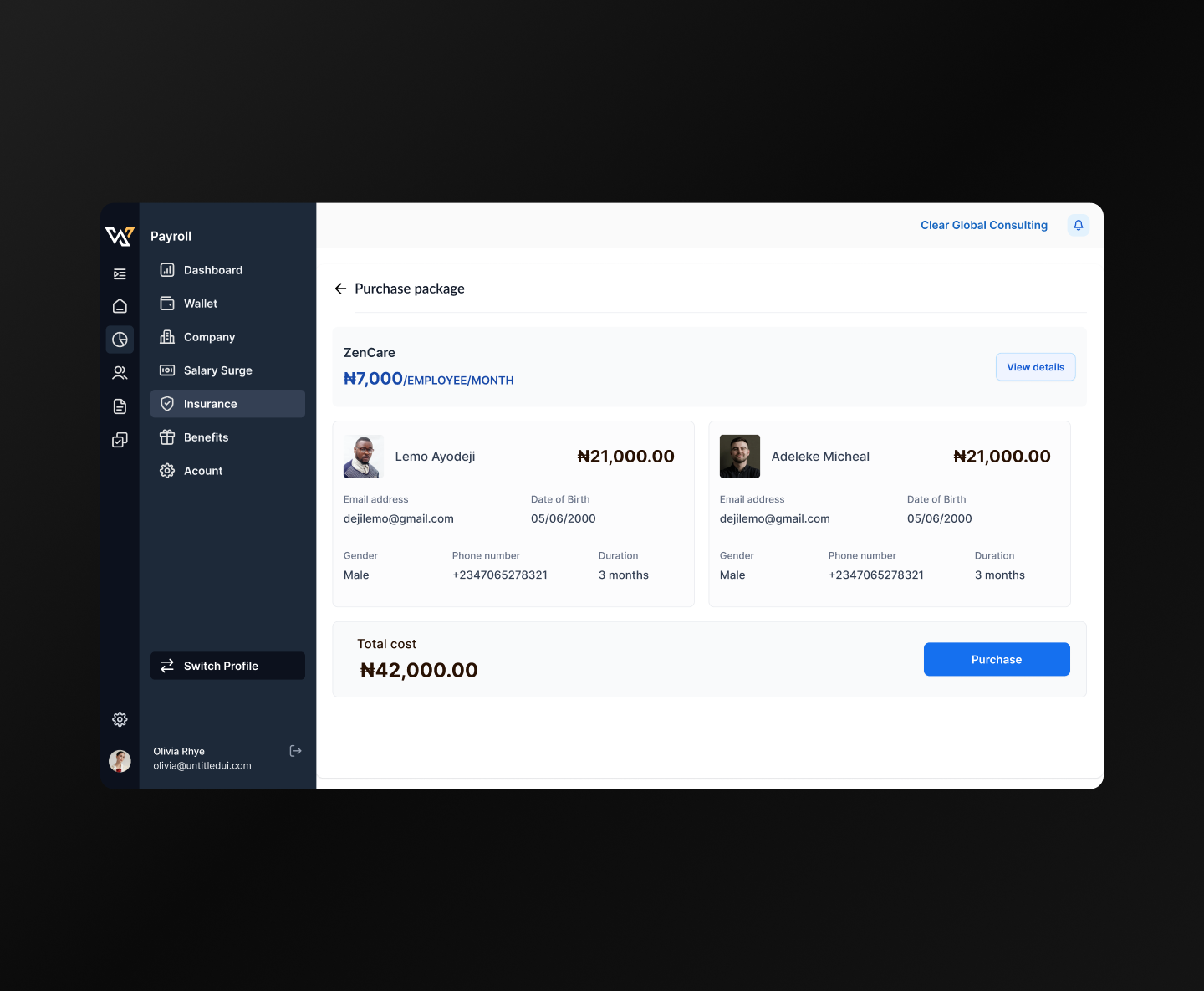
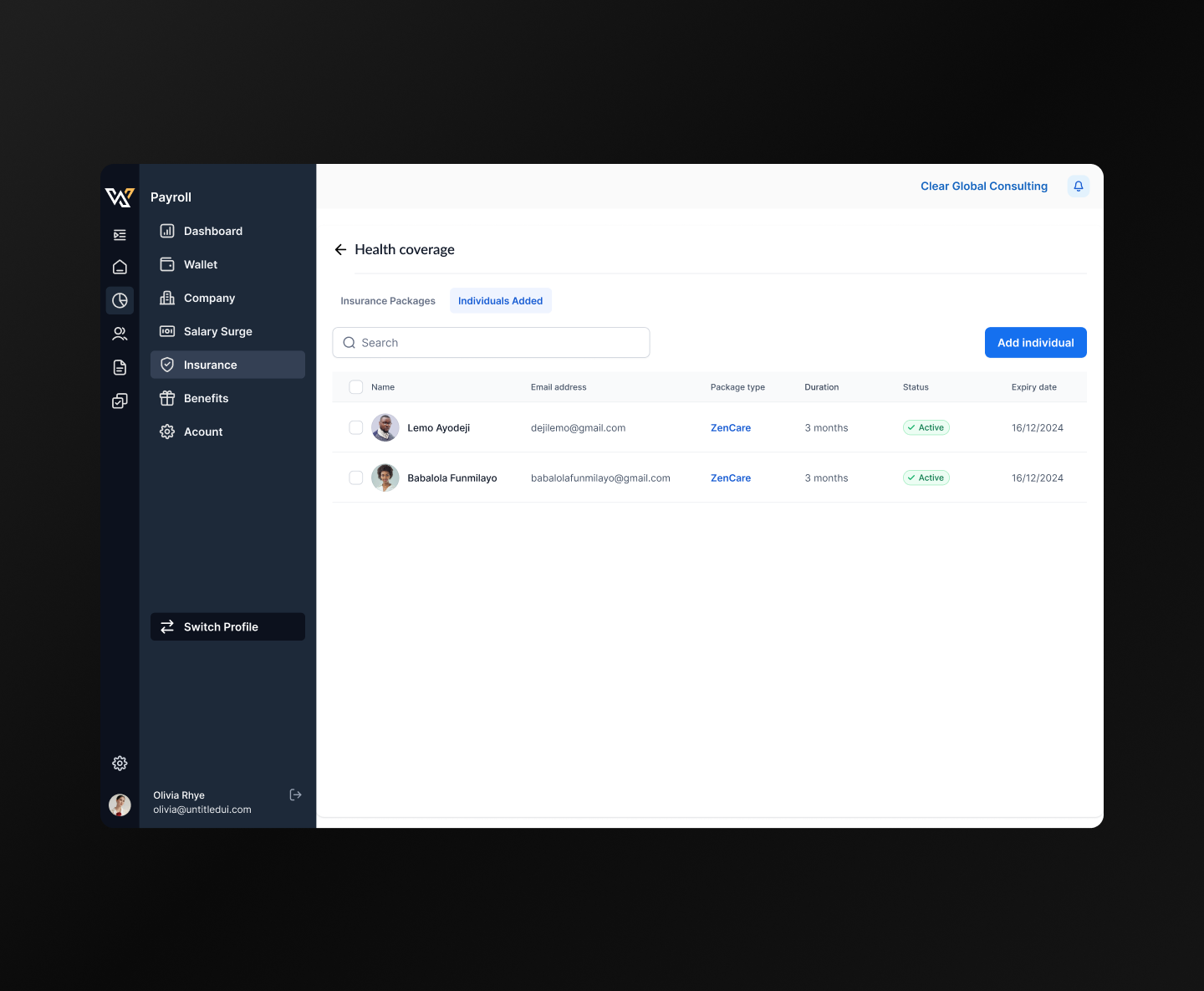
Information Architecture
Implemented role-based navigation for administrators and employees, logical grouping of payroll functions by related tasks, and progressive disclosure to show complex features only when needed.
Visual Design Principles
Took a data-first approach with clear typographic hierarchy for financial information. Communicated status consistently using a robust color system. Used scannable layouts utilizing strategic whitespace and alignment.
Component Design
Ensured consistent form patterns for unified data input. Designed smart tables with advanced filtering and sorting. Utilized modal workflows for focused task completion in context.
Process Improvements: Automated calculations cut hours from each payroll cycle, real-time validation eliminated common errors, and multi-currency support provided flexibility for diverse needs.
User Experience Gains: Streamlined workflows sped up administrator tasks, clear salary information with easy financial services access improved employee satisfaction, and visual feedback prevented common mistakes.
Business Value: Operational cost savings through less manual work and fewer errors. System scales smoothly with business expansion. Automated records simplified audits and compliance.
A proactive problem-solving mini case study
The Problem I Spotted
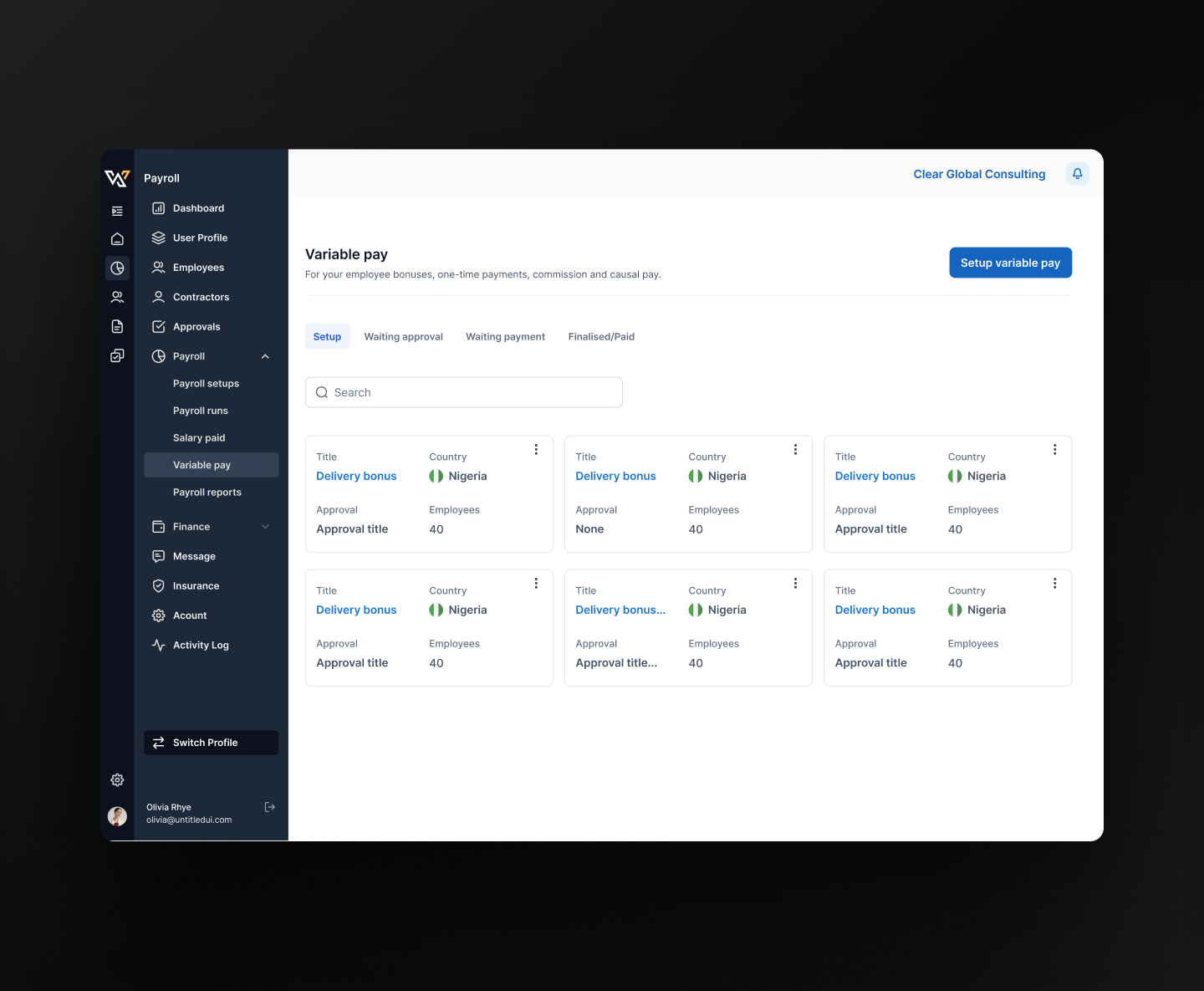
While analyzing support tickets, I found that 60% of customer complaints were related to the complexity of processing bonuses and one-time payments. Users were creating separate payroll runs for single bonuses, resulting in inefficient processes taking 45+ minutes, a 23% error rate, and lost audit trails as users reverted to manual bank transfers.
My Proactive Solution
"Designed without permission because users were struggling"
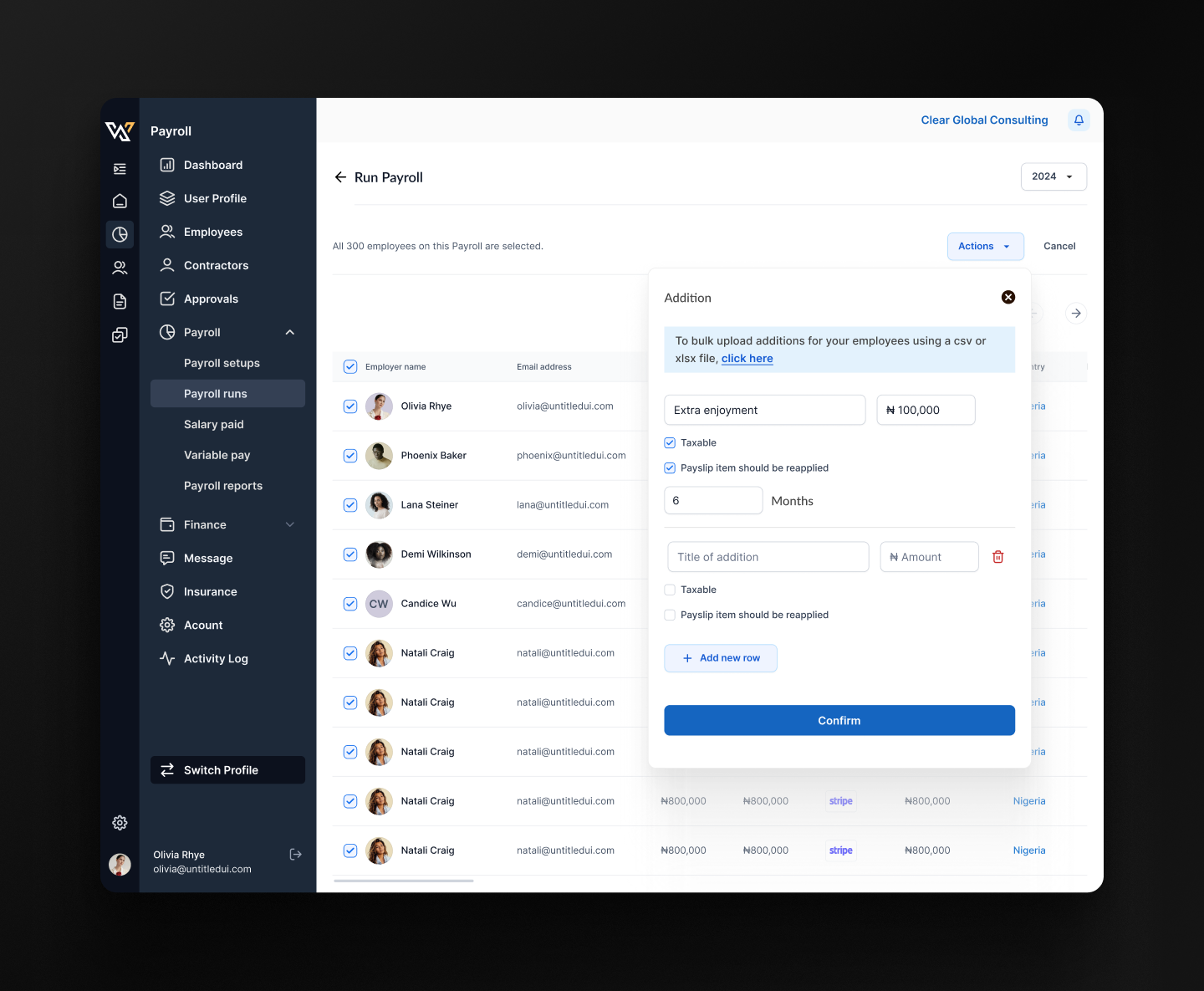
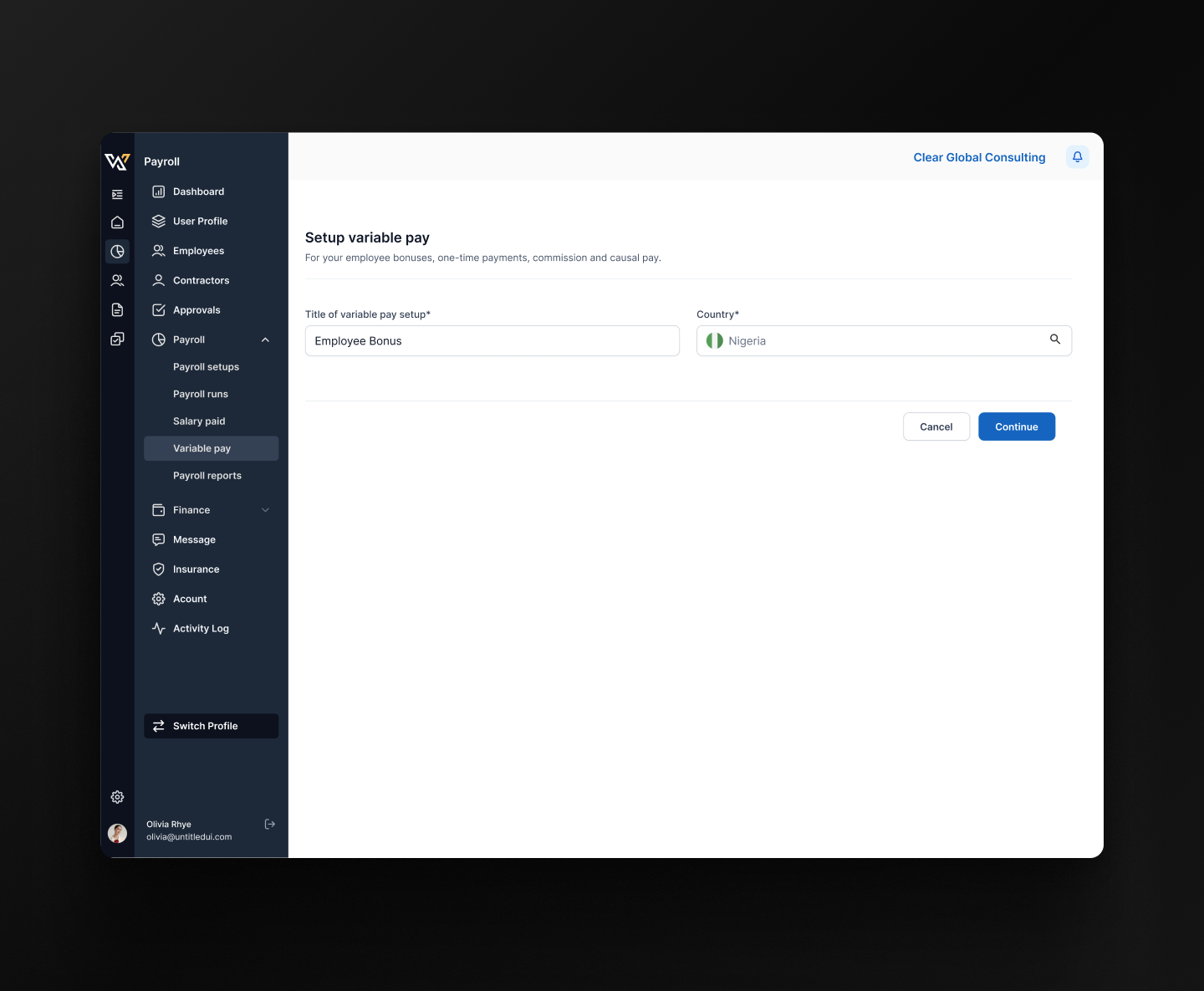
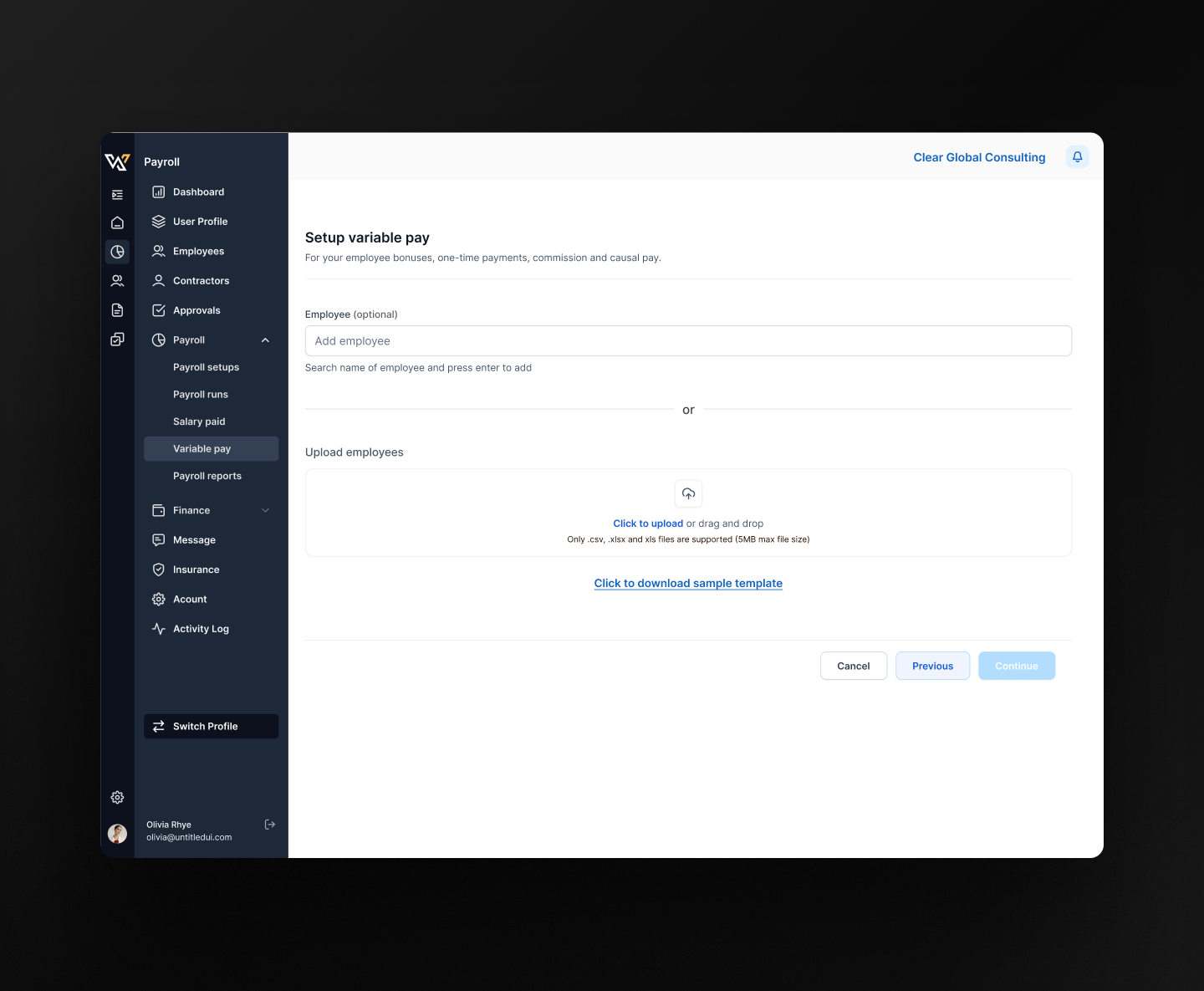
I identified two distinct use cases that needed different pathways: Bulk Processing (CSV upload) and Individual Setup (quick search-and-add).
Design Features:
- Flexible Input Methods: Search/add employees individually, bulk CSV upload with progress tracking, and template downloads.
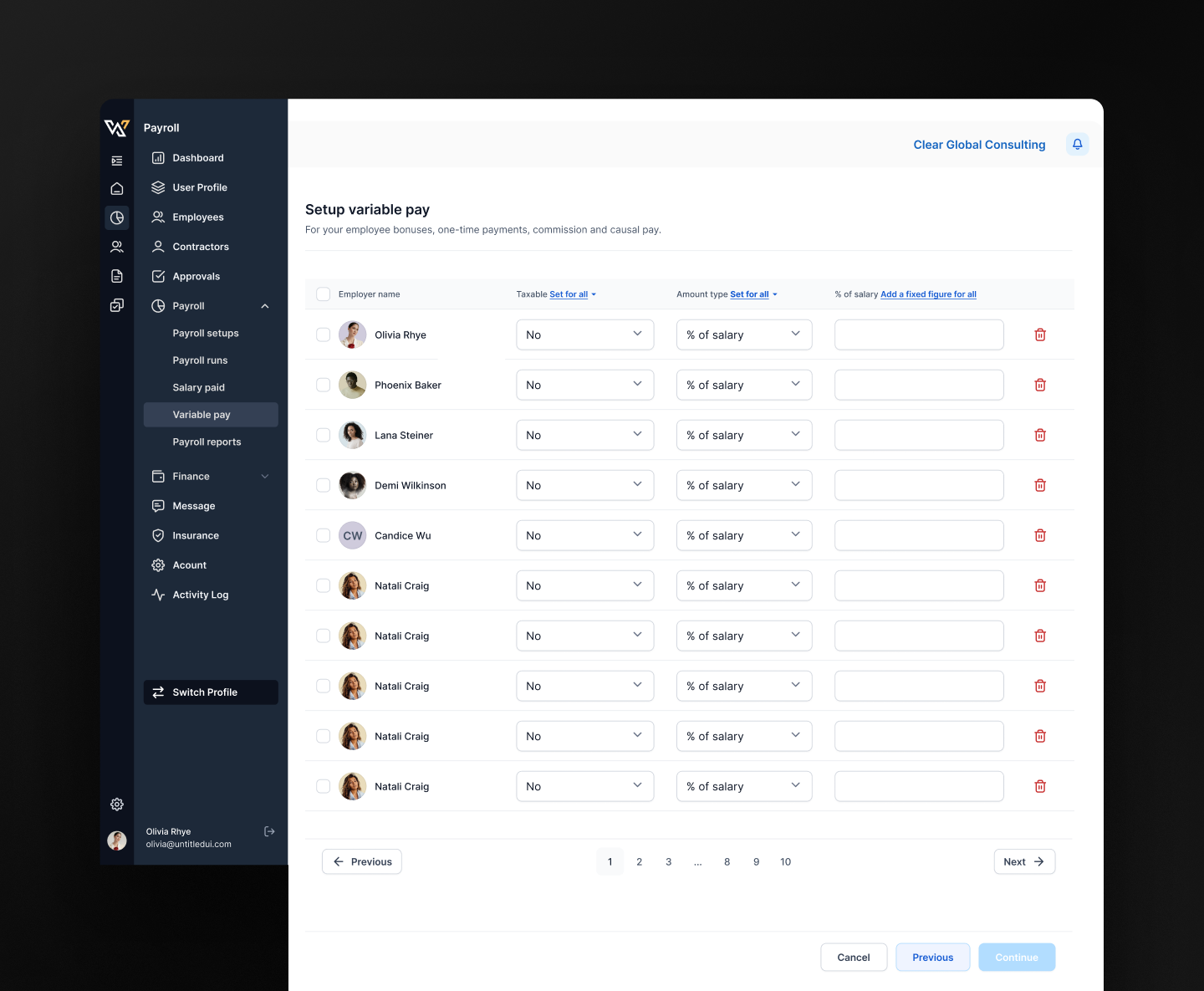
- Smart Defaults: Defaulted to "% of salary" for bonuses, fixed amount options available.
- Batch Operations: "Set for all" functionality and individual overrides.
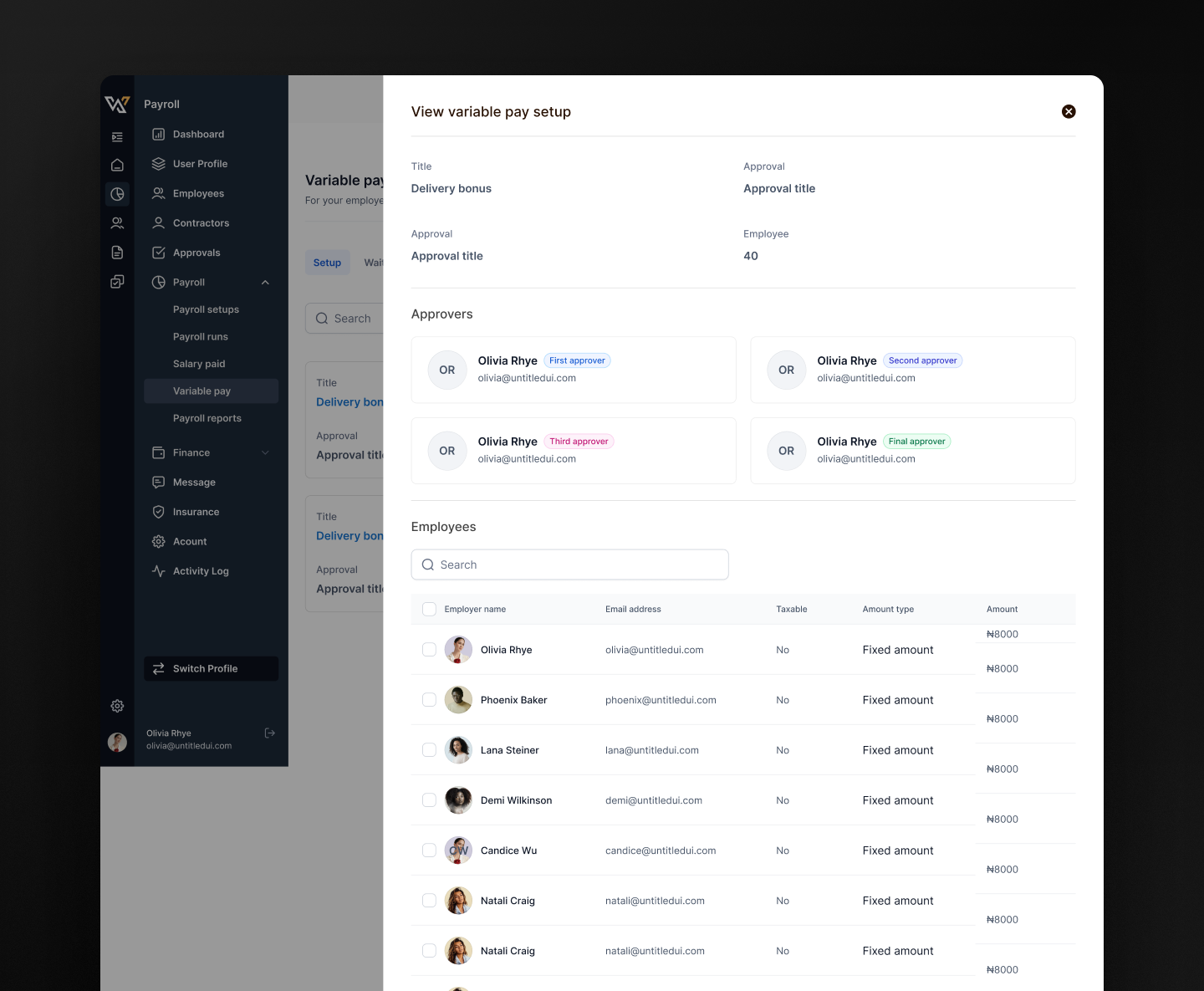
- Clear Preview System: Real-time calculation display and employee-by-employee breakdown before processing.
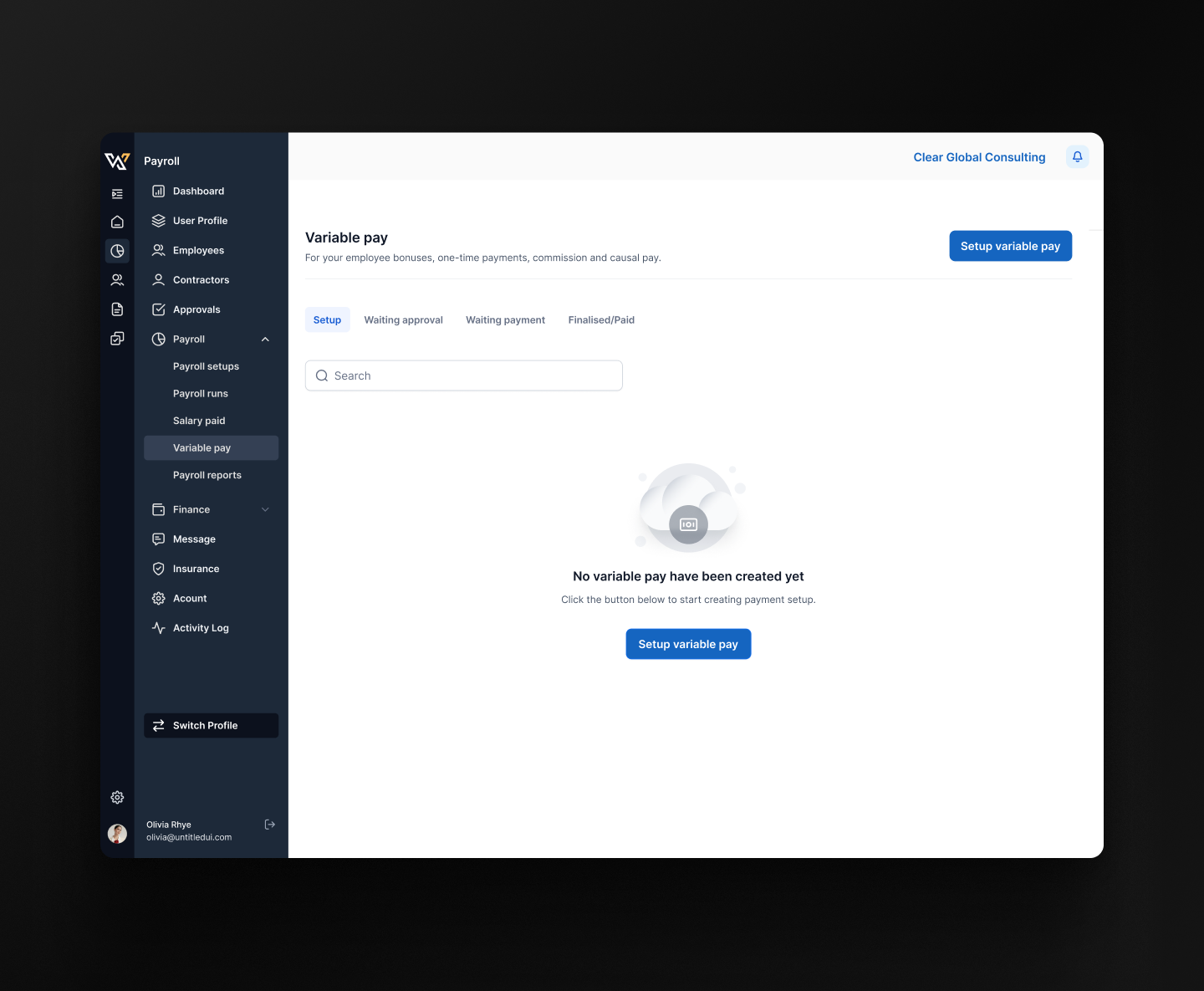
Measured Impact:
Average time to process bonuses dropped from 45 minutes to 5 minutes. Support tickets related to bonus errors decreased by 85%. 92% of active employers used the new feature within the first month, and it ensured a 100% automated audit trail for compliance.
Why I Did This:
By proactively identifying and solving this pain point rather than waiting for requirements, I saved the operations team hundreds of hours in support time and improved the core value proposition of the payroll product.
Key Takeaways:
Proactive problem identification through data analytics successfully revealed distinct user needs. Applying user-centered and data-driven principles with smart defaults reduced cognitive load, while a clear preview system prevented errors.
- Financial Data Requires Extra Clarity: Consistent formatting and clear labels ensure accuracy.
- Flexibility vs. Simplicity Balance: Powerful features behind an intuitive interface.
- Status Communication is Critical: Clear indicators reduce user uncertainty.
- Progressive Complexity: Basic features first, advanced options revealed gradually.
- Real-time Calculations: Instant feedback on payroll changes
- Multi-currency Support: Seamless currency conversion and formatting
- Batch Processing: Efficient handling of large employee groups
- Data Security: Robust protection for sensitive financial data